Planogram Layout Rules

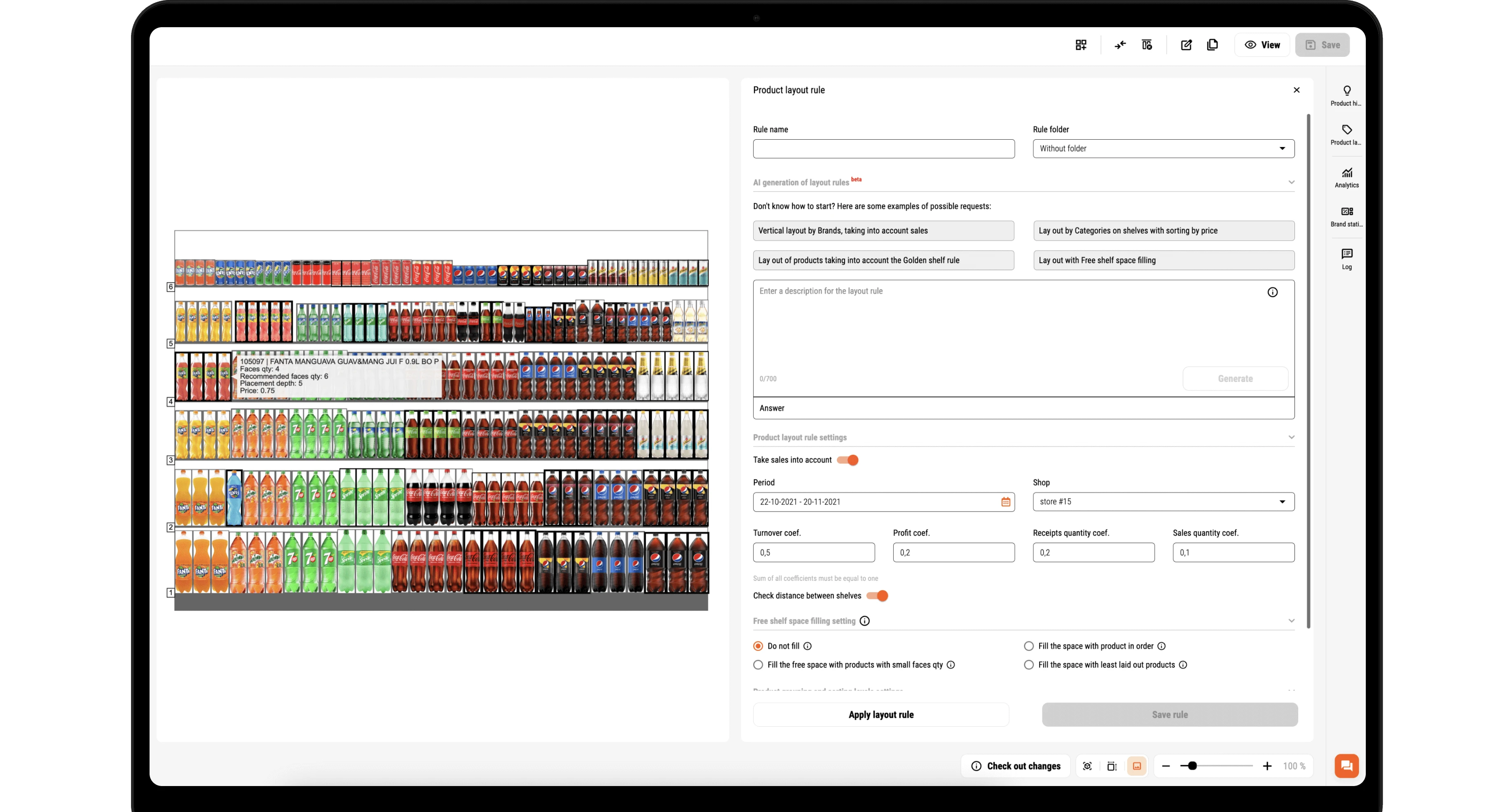
Planogram layout rules are predefined conditions that automatically determine how products are grouped, sorted, and placed on retail shelves. In PlanoHero, you configure the rules once, by category, brand, supplier, price tier, shelf share, number of facings, or display height, and the system applies them to any planogram across your entire store chain. Rules can be created manually or generated using AI based on a plain-language description of your requirements.
Layout rules Layout rules
Automation of planogram creation

Automation of planogram creation

Flexible layout settings

Flexible layout settings

Standardization of layout across the chain

Standardization of layout

Key Capabilities of PlanoHero Layout Rules

  • Customize the Layout According to Your Specific Parameters

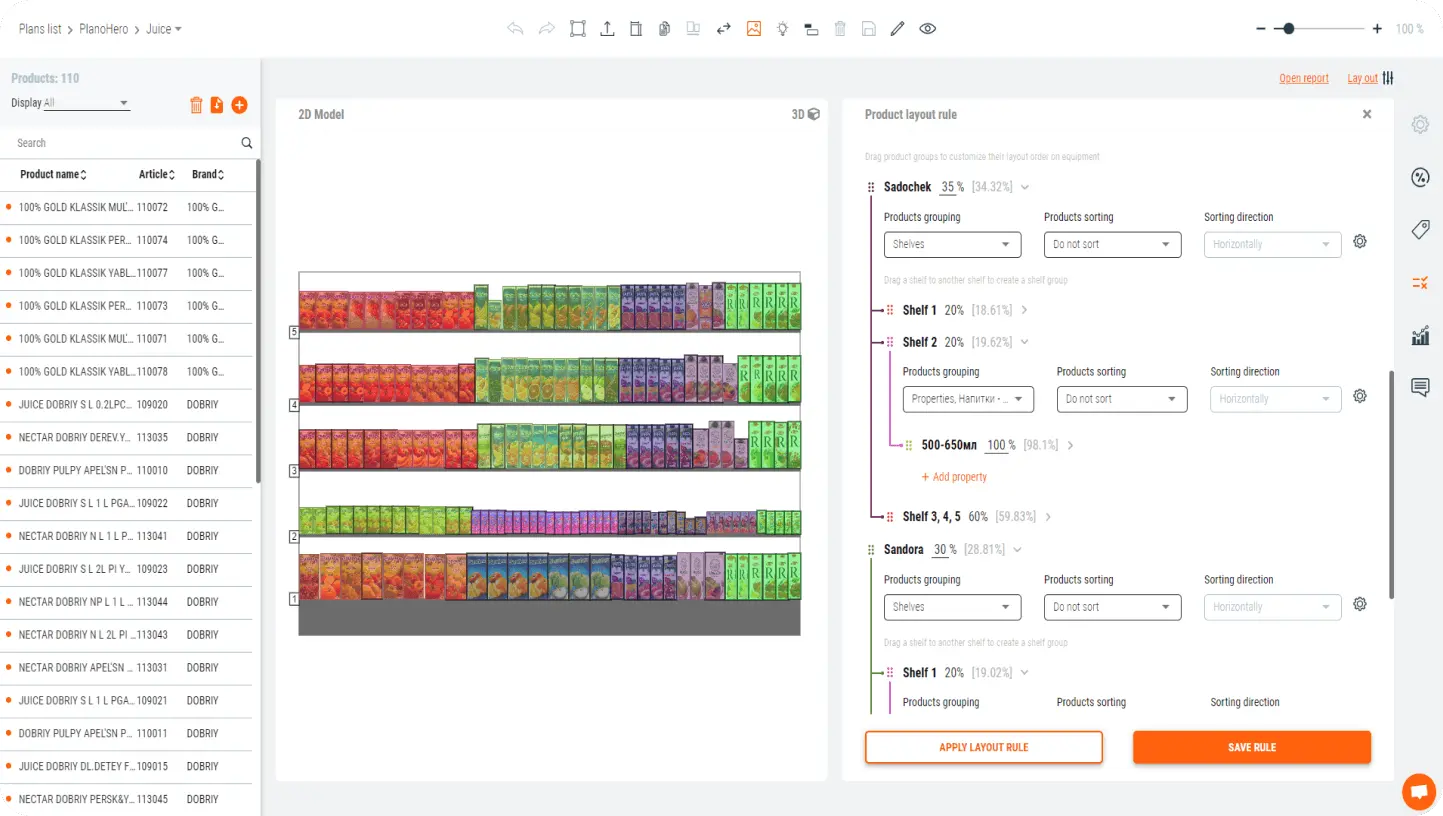
    Define exactly how products are arranged on each planogram. Group by category, brand, or supplier. Sort by price, sales volume, or shelf share percentage. Set limits on the number of facings per SKU or maximum display height. Configure multi-level grouping, for example, first by category, then by brand within each category, then by price within each brand. Rules can be as simple or as detailed as your merchandising strategy requires.

    image
  • Standardize your Layout

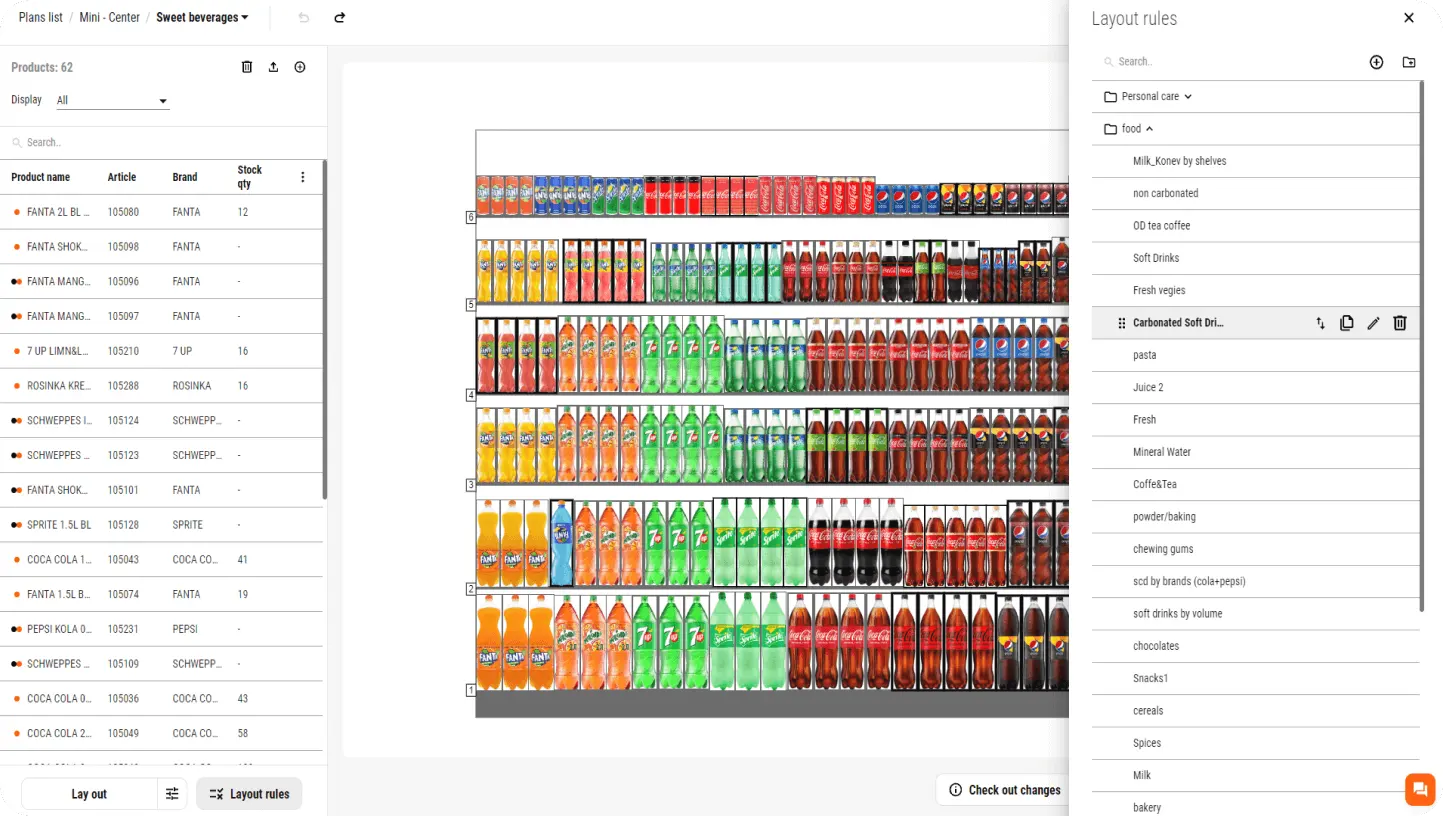
    Once a layout rule is created, it can be saved to the PlanoHero rule library and assigned to any store or group of stores in the chain. When the rule is updated centrally, all connected planograms reflect the change automatically - without manually editing each store's layout. This ensures every location follows the same merchandising logic regardless of store size or format.

    image
  • Layout Rules with the Help of AI

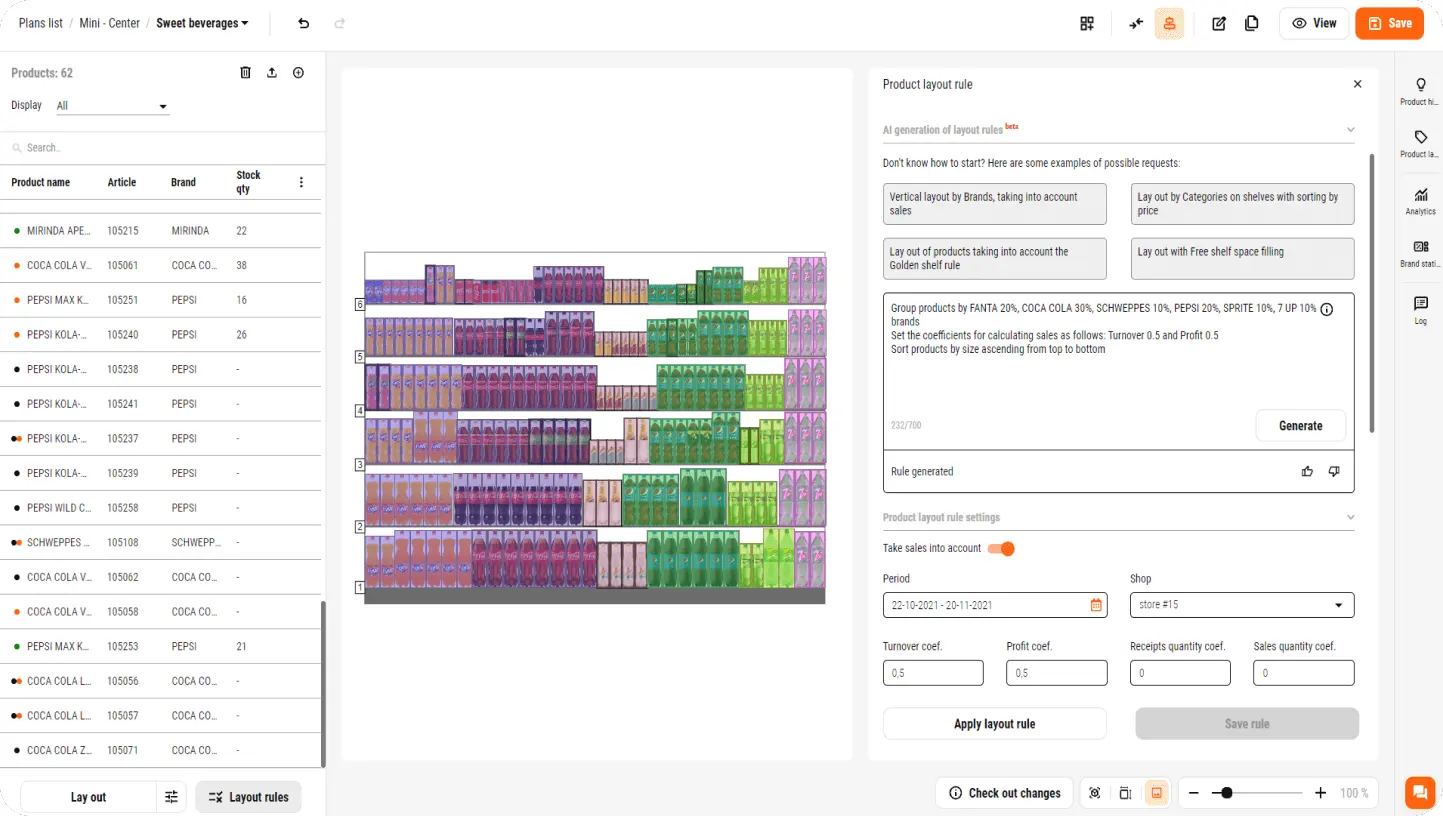
    Describe your layout conditions in plain language - product grouping preferences, sorting priorities, shelf constraints - and PlanoHero's AI generates a structured layout rule in seconds. The generated rule follows the same format as manually created rules and can be immediately applied, edited, or saved to the library for reuse across the chain.

    Try it
    image

PlanoHero's user-friendly interface makes it easy for new employees to dive into the process of creating planograms. The option to integrate with our product and sales database allows us to quickly assess demand and make decisions about the share of each brand on the shelf. PlanoHero helps us to avoid mistakes in complying with the terms of contracts with suppliers regarding the share of products on the shelves. We would also like to mention the work of the support team, which responds quickly to requests and helps to resolve issues.

Yuriy Gusev

Deputy Director of Commercial Operations at Veles Market

Simplify the process of creating planograms with layout rules to increase sales in your retail chain!

counter

Automate the Layout

Quickly customize the layout of products on the planogram. Apply the created rules to all store layouts. Automate the process of creating planograms with the help of layout rules in the PlanoHero service

counter

Save Time

The generated layout rules greatly streamline the creation of planograms, allowing you to focus on strategic planning and analyzing the effectiveness of the chain processes. Simplify the planogramming process and save your merchandisers' time

counter

Flexibility

Easily adapt the layout rules to changes in assortment, sales, supplier agreements, seasonality, or promotions. Timely adjustment of settings and flexibility of layout rules ensure that your planograms remain relevant and effective