

What Is a Retail Display?
In retail, every shelf, sign, and product position matters. So, what is a retail display in visual merchandising?
A retail display is a strategically placed in-store feature, such as a fixture, shelving unit, or signage zone, used to present products in a way that captures shopper attention, guides customer flow, encourages interaction, and ultimately drives sales. Whether it’s a window setup, an end-of-aisle shelf, or a countertop tray, a retail display functions as physical marketing that blends design, product placement, and storytelling.
More than just a way to display merchandise, retail displays are a key part of visual merchandising, serving as visual decision triggers that influence customer behavior, highlight promotions, and create brand experiences at the point of purchase.
In this guide, you’ll learn:
-
The different types of retail displays.
-
Examples of effective in-store product displays.
-
The role of planograms and display fixtures.
-
Tools, ideas, and mistakes to avoid.
Whether you’re designing a flagship window or optimizing shelf space, this guide will give you the knowledge (and tools) to do it better.
Retail Display Types
Window Displays
Window Displays are used to attract passersby and draw them into the store.
Your storefront billboard - perfect for promotions and storytelling.
Which types of products are often featured in window displays?
Seasonal fashion collections, luxury items, or promotional bundles are often featured here to attract foot traffic.
Window displays often rely on mannequins, risers, and props to create an eye-catching story visible from outside.
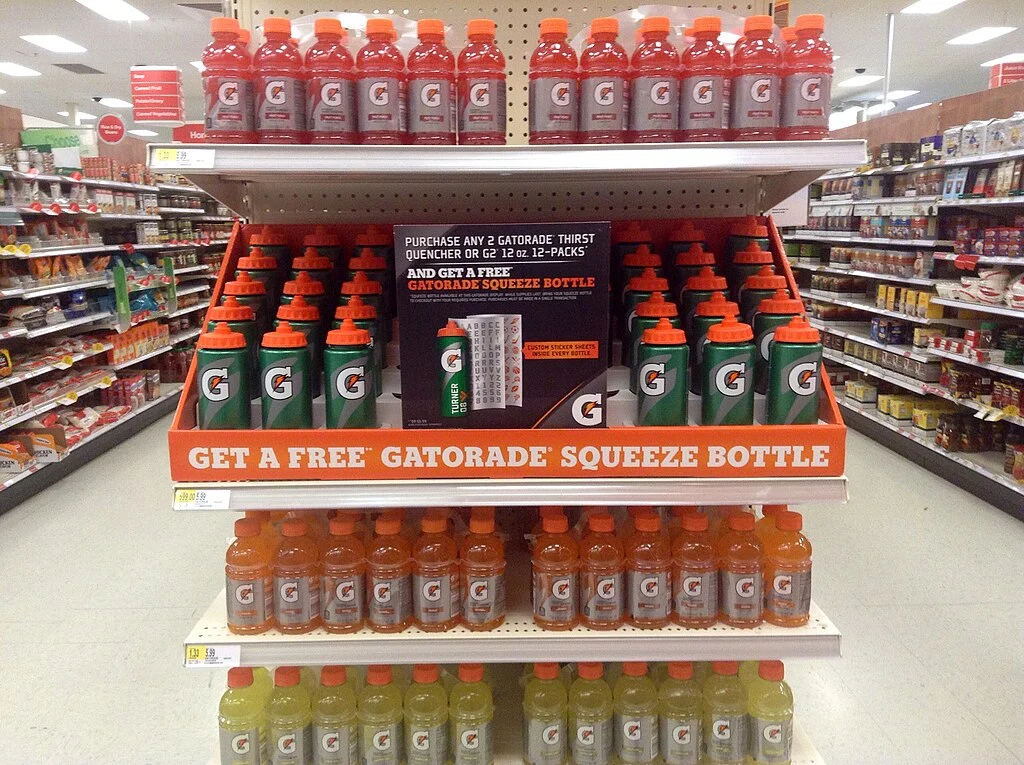
End Cap Displays
End Cap Displays are placed at the ends of aisles and are designed to drive impulse purchases. These displays are high-visibility and high-impact. End Caps are commonly used for featured promotions or top-selling items and typically use gondola end units as fixtures.
Example: Grocery stores use end caps to push new cereal launches or holiday-themed items.
Freestanding Displays
Freestanding Displays offer flexibility in placement and are ideal for new product launches or promotional campaigns.
Often portable and promotional, these displays are placed in high-traffic zones like store entrances.
POP (Point-of-Purchase) Displays
POP Displays are located near checkout counters to boost last-minute sales. They’re great for small, grab-and-go items like snacks or accessories and usually feature countertop trays or small display stands. Ideal for cross-selling.
Examples: Gum, travel-size beauty items, or tech accessories.
Mannequin Displays
Mannequin Displays are used to show fit, style, and outfit coordination. Common in apparel merchandising and lifestyle retail, they rely heavily on mannequins and are often part of larger themed setups.
Gondola Shelving Displays
These are the bread and butter of product shelving. Found in everything from convenience stores to pharmacies.
Gondola Displays are the standard shelving units found in many grocery and convenience stores. They're used to organize product categories and are typically outfitted with shelves, pegboards, or hooks. Gondola displays can be single-sided, double-sided, or wrap-around. It’s best to place these standalone displays in open areas of your store.
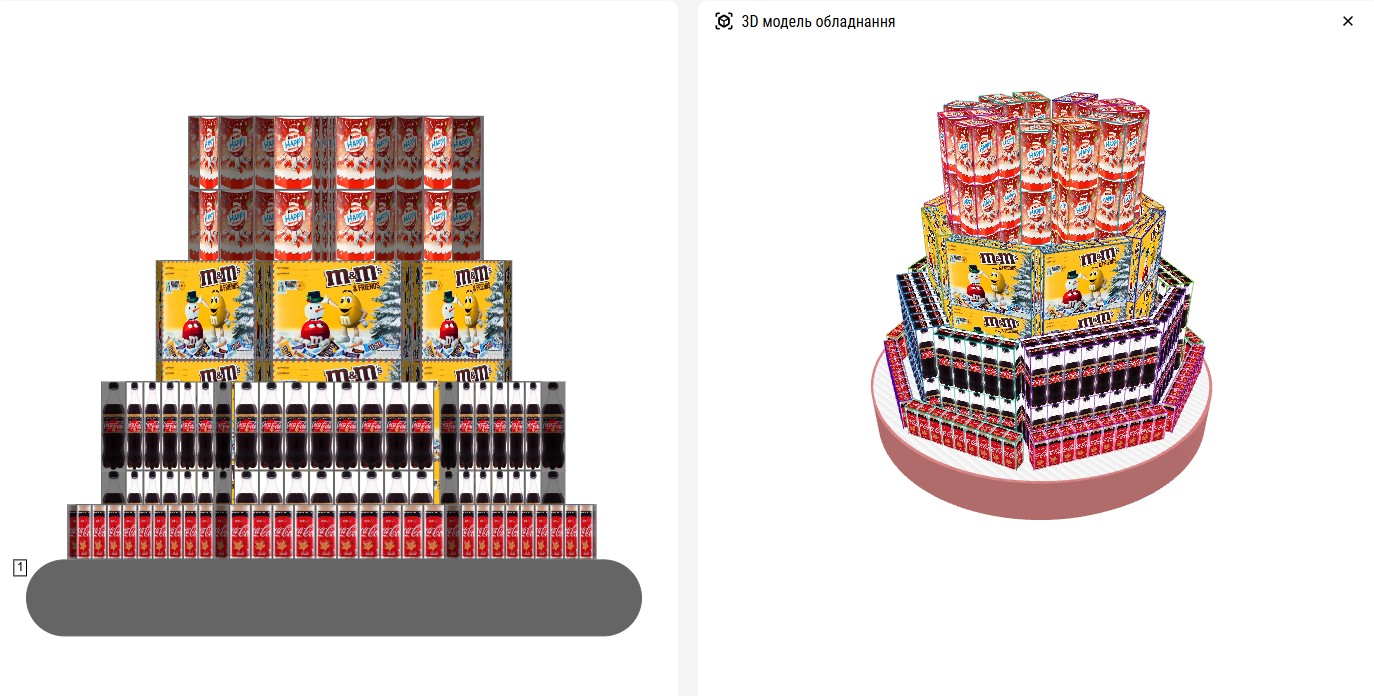
Plan this display in seconds using PlanoHero and ensure your layout matches sales data for maximum impact.
Table Displays
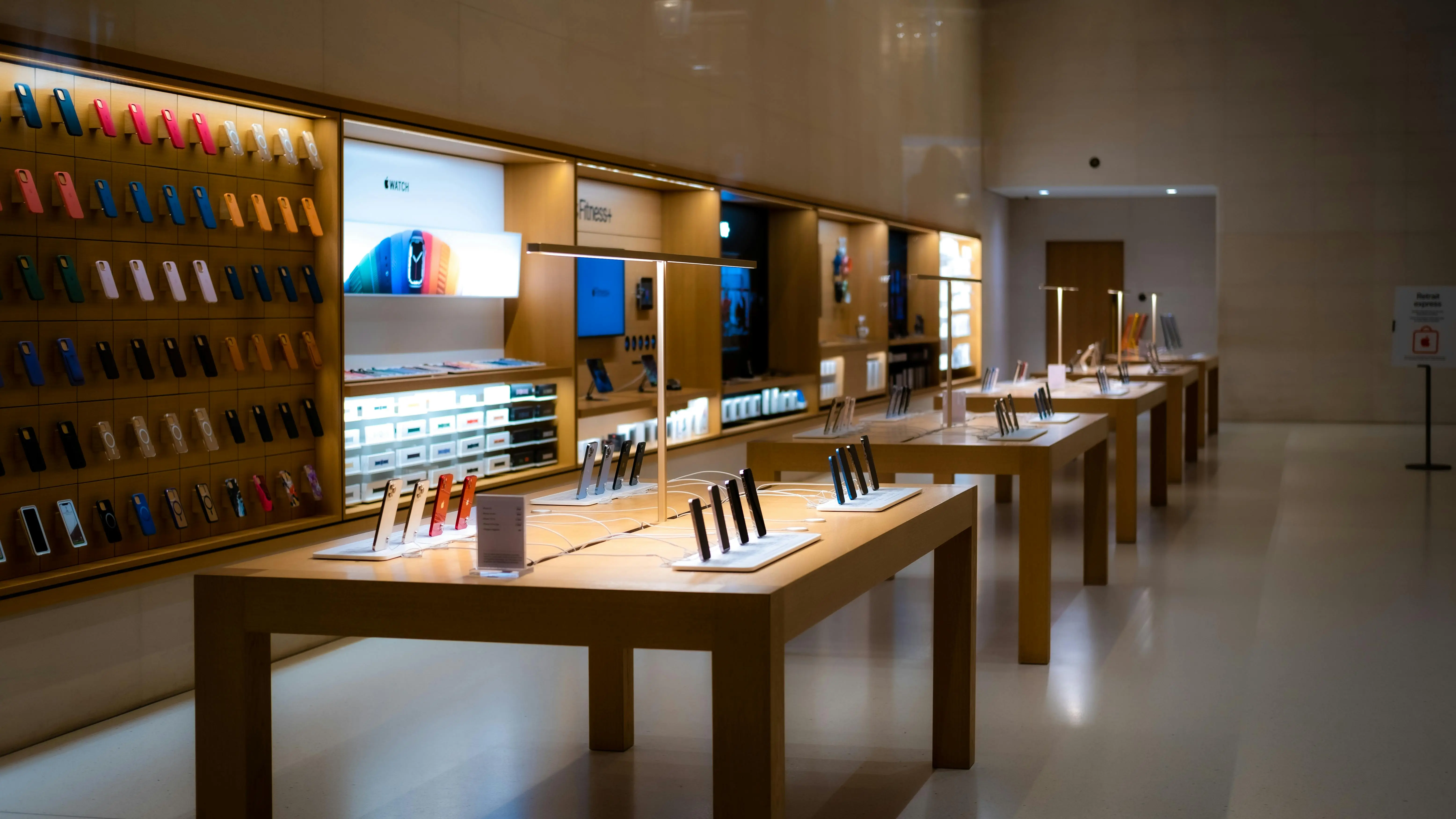
Table Displays are designed to create a visual focus and are popular in boutique or luxury settings. Perfect for items like jewelry, candles, or curated gift sets, these displays typically feature wooden or cube-style tables with carefully layered product arrangements.
Digital Displays
Digital Displays include touchscreens, kiosks, or interactive screens that engage customers through content. They're commonly used in electronics or tech stores to educate shoppers or enhance product exploration.
What Are the Different Types of Visual Merchandising?
Visual merchandising includes much more than product displays. It covers:
-
Signage and wayfinding.
-
Lighting for mood and focus.
-
Product grouping (cross-merchandising).
-
Props to enhance storytelling.
-
Interactive elements (touchscreens, AR).
These elements work together to create a shopping environment that’s not just aesthetic, but strategic.
What Are Display Fixtures?
Display fixtures are the physical infrastructure behind your layouts. They're tools that shape the customer's experience and guide their journey through your store. The right fixture can turn a basic shelf into a brand-building moment.
Gondolas are versatile, modular units commonly found in grocery stores, ideal for organizing categories such as dairy or cereal. Mannequins help bring apparel to life, showcasing fit, style, and how pieces work together. Freestanding display stands, often made of wood or branded cardboard, are perfect for seasonal or promotional areas. For vertical merchandising, slatwalls and pegboards offer flexibility and save floor space.
If you're working with smaller items, such as jewelry or spices, risers, trays, and tiered racks can create elevation and visual interest. In modern stores, especially those specializing in electronics, digital displays are being used to extend the shelf life, giving customers access to reviews, demos, or expanded product lines.
Choosing the right fixture isn’t just about what fits; it's about what sells.
Visual Merchandising Examples from Real Brands
Let’s take a look at how top retailers use different display types and fixtures to shape customer experience:
At Apple, everything revolves around the product. Their stores use clean tables, wide walkways, and minimal signage. This simplicity isn’t accidental; it directs all attention to the product and invites hands-on interaction.
Zara leans into storytelling through seasonal themes. Their mannequins display quickly rotating to stay in sync with new collections, while lighting and props immerse shoppers in a curated fashion narrative.
At Sephora, gondolas are tightly organized by brand or category. End caps often feature new launches, while testers and mirrors invite shoppers to engage directly with the product.
Meanwhile, Whole Foods does a brilliant job with natural freestanding displays. Think of produce crates stacked near artisanal cheese samples as a clear example of how cross-merchandising can drive unplanned purchases.
Each of these brands uses visual merchandising as a silent salesperson, one that never stops working.
Planograms: The Key to Smarter Product Displays
A planogram is a visual strategy map designed to maximize your store’s selling power. It answers the “what goes where, and why?” across every product, fixture, and display. It’s a strategic tool used to optimize space, guide customer flow, and boost sales performance.
Here’s why planograms matter in retail:
-
They standardize product displays across multiple store locations for consistency.
-
Help maximize shelf space and highlight high-margin or seasonal items.
-
Ensure that eye-level placements are used for the most profitable or popular SKUs.
-
Use real sales data to inform placement decisions and restocking priorities.
-
Maintain brand compliance by following visual guidelines across displays.
Using software like PlanoHero, you can automate facings, track performance by SKU, and instantly update displays across multiple stores—turning insights into action without guesswork.
How planograms help to improve different display types:
-
Control product facings (how many items are front-facing and visible).
-
Organize bundled or related merchandise (e.g., a spice planogram might pair Indian spice mixes with a spice rack and nearby cooking tools, creating a natural impulse bundle that’s easy for staff to stock and easy for shoppers to understand).
-
Match shelf heights and widths to product dimensions for a clean, shopable look
Seasonal resets become faster and more organized when visual merchandising teams use planograms. Instead of guessing, stores can follow a visual blueprint, which reduces downtime and maintains high compliance.
In short, planograms turn guesswork into structured, data-backed merchandising.
Whether you're planning an end cap, a gondola, or a POP display, a planogram helps ensure every product earns its place -and performs.
Try Free Demo
Planogram Strategies by Product Category
To better visualize how different display types and fixtures are used in everyday retail, here are product-specific display and planogram strategies your store can implement:
Dairy Product Displays
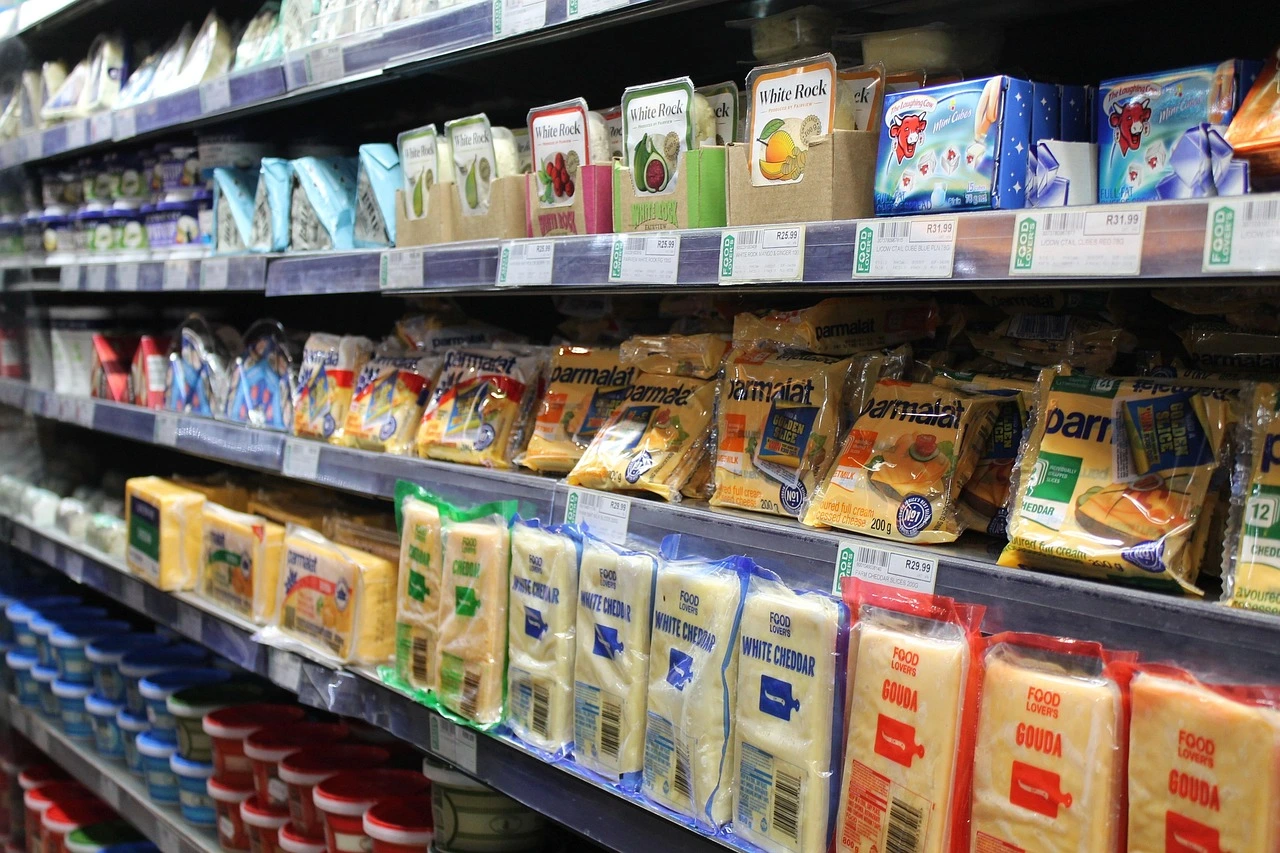
Dairy products benefit from gravity-fed gondolas and refrigerated upright shelving. Place high-demand items like milk or yogurt in the middle zone, with premium cheeses at eye level to encourage trade-ups.
-
Display Type: Gondola shelving, refrigerated end caps, upright coolers
-
Fixtures: Clear shelf dividers, gravity-fed coolers.
-
Planogram Tip: Group products by category (e.g., milk, cheese, yogurt), then by brand. Eye-level for premium SKUs, lower for bulk.
Spice Displays & Racks for Spices
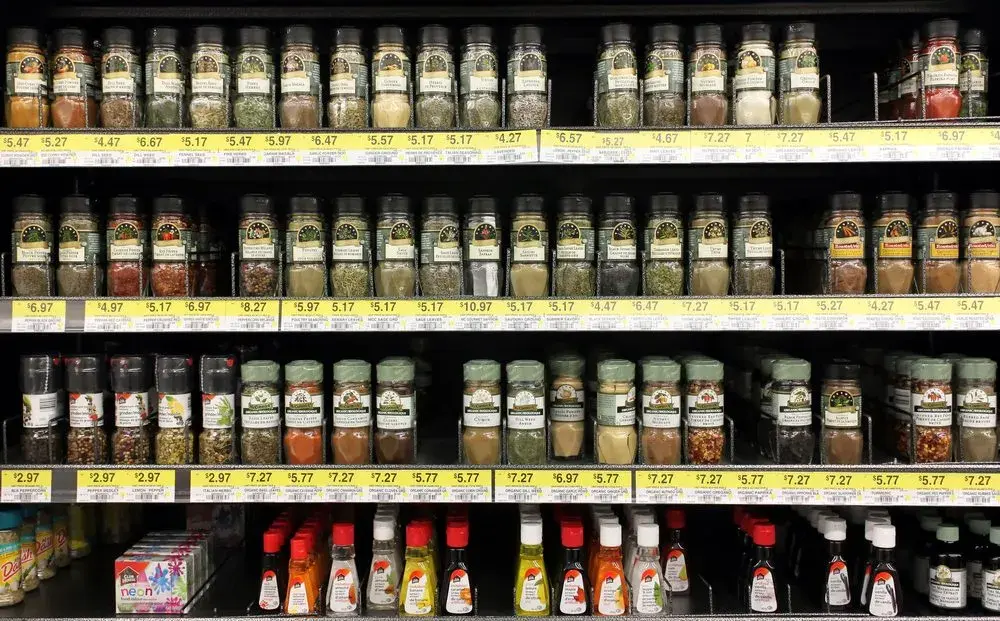
Spices need order and clarity, whether you’re using pegboards or narrow racks. Grouping by cuisine type (like Italian or BBQ) or cooking function makes navigation simple. A vertical layout is most effective here, as most shoppers tend to scan from top to bottom.
-
Display Type: Pegboards, vertical gondolas, freestanding spice racks.
-
Fixtures: Hooks, labeled bins, tiered spice racks.
-
Planogram Tip: Organize by cuisine (e.g., Indian, BBQ, Italian) or cooking purpose. Use vertical space smartly with labels facing out.
Cereal Displays
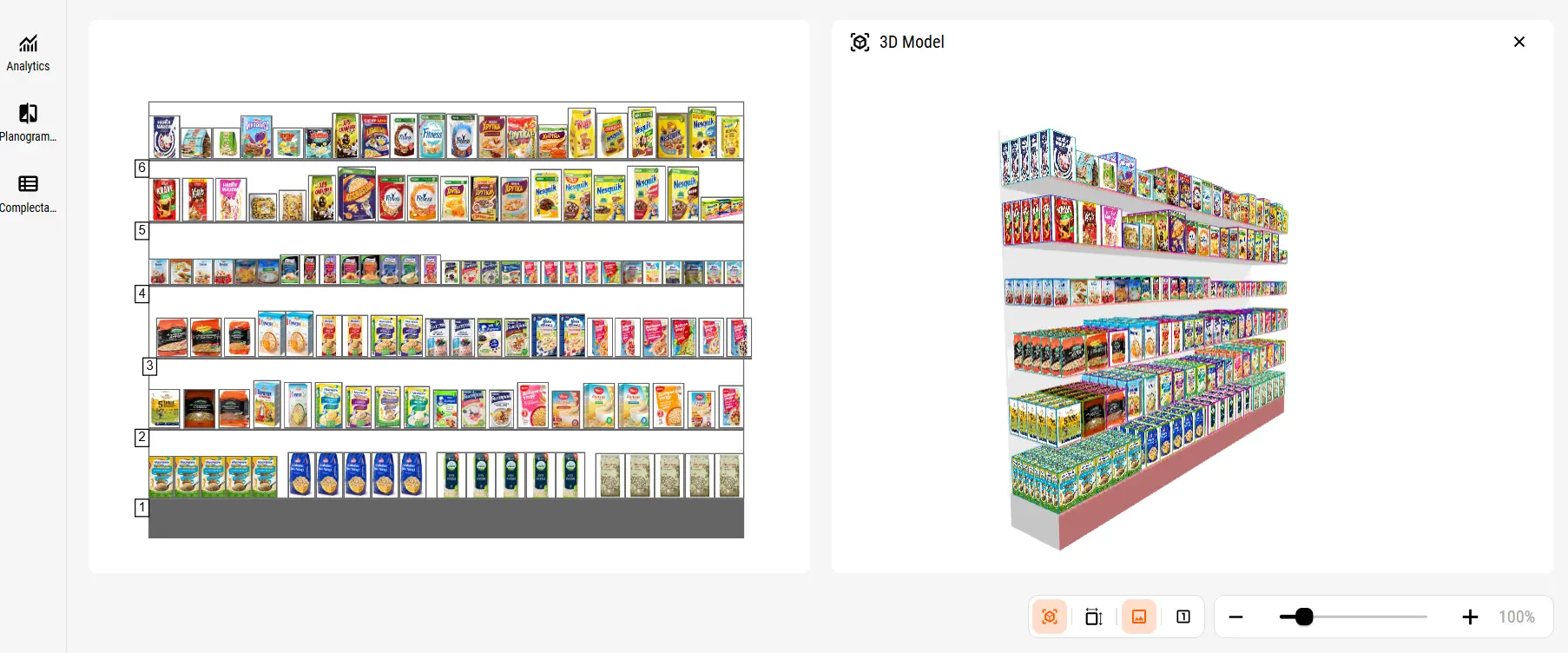
Cereal should be merchandised by audience: fun, sugary cereals at kid eye level; healthier or niche options (like keto or gluten-free) higher up. End caps can be used for limited-time flavors or bundle deals.
-
Display Type: Gondola shelving, end caps for promotions.
-
Fixtures: Large facing areas, shelf dividers.
-
Planogram Tip: Eye-level placement for kids' cereals (targeted height), and group by nutritional category: sugary, fiber-rich, gluten-free.
Dessert & Cake Displays
Desserts and cakes, especially grab-and-go, perform best in glass-fronted or tiered refrigerated displays. You can use planograms to group by occasion - birthday cakes in the back, impulse-friendly cupcakes in front.
-
Display Type: Refrigerated glass cases, countertop trays.
-
Fixtures: Tiered trays, cake domes, glass fronts.
-
Planogram Tip: Group by occasion: celebration cakes in the back, grab-and-go desserts (e.g., cupcakes, slices) in front.
Cup Displays
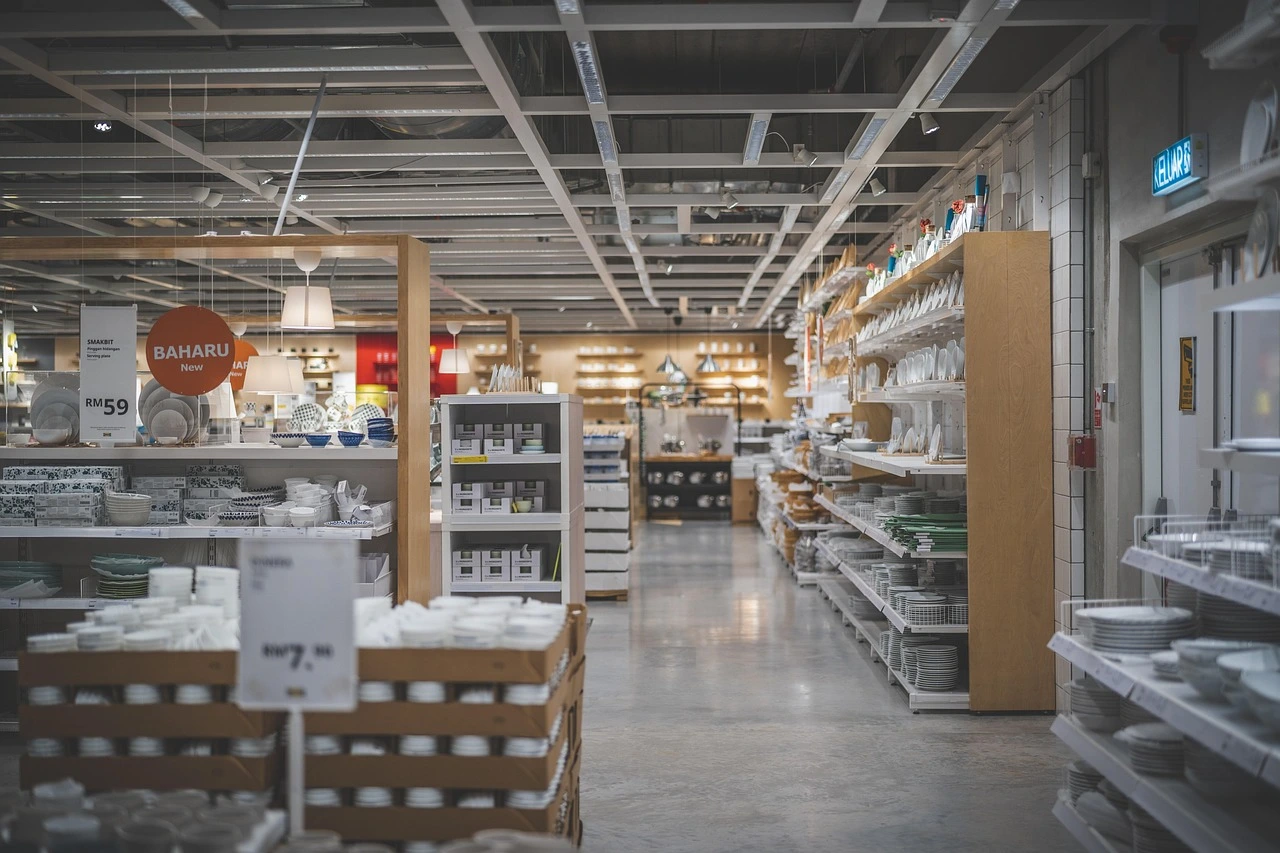
Cups and drinkware are perfect for table displays or vertical wall units. Use planograms to guide grouping by color, material (such as ceramic, bamboo, or glass), or theme, placing travel mugs near coffee machines, for example.
-
Display Type: Table displays, pegboard wall mounts, freestanding racks.
-
Fixtures: Cup hooks, risers, nesting trays.
-
Planogram Tip: Group items by material (e.g., ceramic, glass, bamboo) and color. Cross-merchandise with coffee machines or filters.
Display of Household Appliances
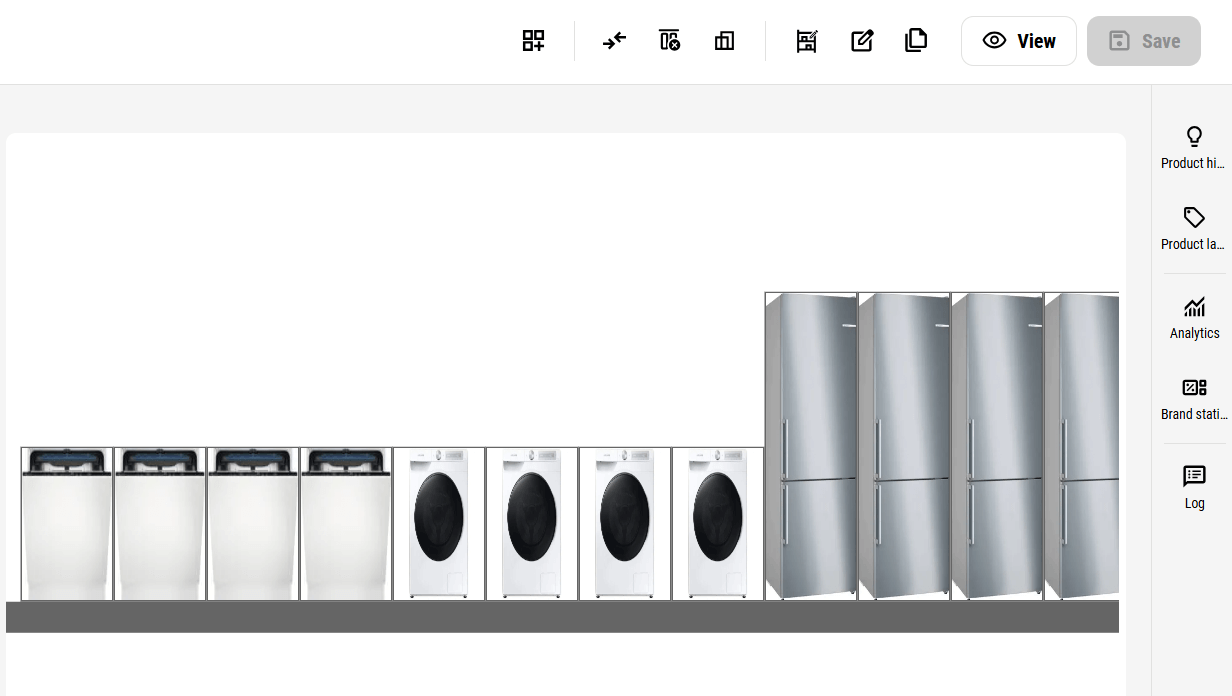
Household appliances, especially bulkier items like mixers or air fryers, demand strong shelving. Planograms should strike a balance between visual appeal and safety. Display the most popular or demo units on mid-level shelves, and place heavier stock below.
-
Display Type: Large end caps, gondola headers, demo stations.
-
Fixtures: Heavy-duty shelving, test units.
-
Planogram Tip: Prioritize top-selling items and demo products. Place compact appliances on mid-shelves, and larger items, such as mixers or air fryers, on lower shelves for safety.
These aren’t just product categories - they’re opportunities to optimize space, drive higher-margin sales, and deliver a frictionless customer experience.
Best Practices for Effective Retail Displays
Rather than relying on checklists, here’s what the best merchandisers do instinctively:
They think like shoppers positioning products where people naturally look, using props or signage to answer unspoken questions (“Is this on sale?” “Does this go with that?”).
They frequently change displays, aligning resets with promotions, seasonality, and shopper behavior. And most importantly, they make sure every display is tied to data. If a display isn’t moving product, they tweak its layout, lighting, and grouping until it performs.
Visual merchandising isn’t static; it’s a living, breathing part of your sales engine.
Whether you're building a seasonal showcase or a daily aisle setup, follow these display best practices:
-
Prioritize eye-level placement for high-margin products.
-
Group similar or related products (cross-merchandising).
-
Use props, lighting, and signage for storytelling.
-
Change displays every 2–4 weeks to stay fresh.
-
Always align physical displays with planogram layouts.
Visual Merchandising Display Ideas to Inspire You
Out of ideas? Even experienced merchandisers hit a wall sometimes. The good news: you don’t need to reinvent your store layout, you just need a fresh way to make your products speak. Here are a few merchandising ideas that go beyond the basics and actually move inventory.
Start with color blocking. It’s simple, effective, and visually satisfying. Grouping products by color not only creates a clean look, but it also helps shoppers focus, especially in stores with a wide range of SKUs. This tactic works beautifully for items like drinkware, linens, or cosmetics.
Next, consider adding interactive moments to your space. In apparel stores, augmented reality (AR) mirrors or touchscreens that show product pairings can instantly increase dwell time and conversion. Even a simple digital screen looping a product demo can make a big difference, especially in electronics, appliances, or cookware sections.
Modular displays are another underrated powerhouse. These are changeable, reusable setups that let you quickly update your layout for holidays, new collections, or clearance events, without starting from scratch each time. They’re especially useful for pop-up zones or featured brand displays.
Want to tie your brand to your community? Try local or cultural themes. Merchandising around a local holiday, sports event, or collaboration with a nearby artist can humanize your brand and make your displays feel personal and timely.
And finally, don’t overlook sustainability as a visual theme. Using reclaimed materials, zero-waste props, or signage that tells your eco-story not only attracts today’s conscious shopper, it builds loyalty, too.
Great visual merchandising isn’t about flashy gimmicks. It’s about making your displays feel relevant, seasonal, and shopper-focused—without sacrificing operational ease.
With PlanoHero, you can test color-blocking layouts digitally before physically moving any products—saving hours and preventing errors.
Start experimenting with your displays online today: Try PlanoHero free trial
Retail Display Mistakes to Avoid
-
Overstocking shelves (leads to clutter).
-
Poor lighting in key zones.
-
No planogram compliance = lost sales.
-
Ignoring traffic flow or sightlines.
-
Using too many display types at once.
FAQs: Common Questions About Displays & Fixtures
What is a display in visual merchandising?
It's the strategic use of fixtures, signage, lighting, and arrangement to highlight products and guide customer behavior.
What are the different types of visual merchandising?
Window setups, shelf displays, signage, lighting, props, and digital tools like screens or AR.
What are the different types of retail displays?
Window, gondola, POP, end cap, mannequin, freestanding, digital, and countertop displays.
What are the different types of display fixtures?
Mannequins, gondolas, display stands, pegboards, kiosks, trays, and tables.
How can software improve my retail displays?
Tools like PlanoHero let you create, manage, and execute planograms across all display types, ensuring consistent layouts, optimized facings, and data-driven results that drive higher sales.
Can it work for multiple store locations?
Yes! Planograms can be distributed across stores, maintaining standardized layouts while accommodating regional preferences.
Final Thoughts
Understanding the types of display in visual merchandising is the first step. But the winning retailers combine creativity and precision using planograms, software, and customer psychology to design displays that sell.
Whether you’re working in fashion, grocery, or tech, these strategies will help you design like a pro and perform like a top brand.
Looking for a service to create planograms?
Try a free demo version of PlanoHero