

Maintaining strong on-shelf availability (OSA) isn’t just an operational task — it’s one of the most important profit drivers for brick-and-mortar retail. Industry studies show that retailers lose 4–8% of annual revenue due to:
-
empty shelves;
-
inaccurate planograms;
-
delayed resets;
-
poor store execution;
-
and lack of real-time visibility into what’s happening in the aisle.
The good news?
Modern retail shelf-management tools are becoming easier to adopt, fully mobile, AI-powered — and many offer free trials, allowing retailers to test value before committing.
Below is a curated list of the top solutions used by supermarkets, pharmacies, convenience stores, and CPG field teams to improve availability, execution, compliance, and planogram accuracy.
1. ShelfScan — AI Shelf Scanning for Real-Time Visibility
If you're struggling to understand what’s actually happening on your shelves throughout the day, computer vision is no longer optional — it’s essential.
What it does:
- AI-powered scanning of shelves using smartphones or fixed cameras.
- Instant detection of out-of-stocks.
- Shelf-share and facing accuracy insights.
- Photo-based audits that speed up store team workflows.
- Immediate feedback loops for retail execution teams.
Why it matters for retailers
ShelfScan gives you unbiased, real-time visibility into sales you’re losing today, not just during manual walk-throughs. Retailers use ShelfScan to:
-
reduce OOS by 20–40%;
-
improve category performance;
-
alert staff instantly when shelves need correction;
Best for: Retailers and CPG teams that want automated, always-on shelf visibility.
Free Trial: Yes.
2. VisitBasis — Field Merchandising & Shelf Availability Tracking
Great for retailers with regular audit cycles or outsourced merchandising teams.
What it does:
- Mobile-first retail audit workflows.
- SKU-level availability checks.
- Planogram compliance verification.
- Time & GPS stamping for rep accountability.
- Real-time reporting dashboards.
Why it matters for retailers
VisitBasis helps eliminate messy paperwork, inconsistent reporting, and subjective audits. HQ teams get reliable, structured data from the field — essential for accurate availability tracking and faster issue resolution.
Best for: Retailers and CPGs running repeated store audits or merchandising visits.
Free Trial: A free plan is available for up to 10 users.
3. Shelf Logic — Classic Planogram Software for Space Management
For retailers who still prefer a traditional desktop approach to planograms.
What it does:
- Manual planogram design.
- Visual shelf layouts.
- Basic space planning analytics.
- On-premise, legacy-style workflows.
Why it matters for retailers
Some retail organizations still prefer full local control, without subscription-based SaaS. Shelf Logic remains a familiar tool for veteran space planners and smaller retailers.
Best for: Retailers with established internal processes who need a simple, reliable planogram builder.
Free Trial: Downloadable trial + live demo.
4. PlanoHero — End-to-End Planogramming & Merchandising Execution Platform
For retailers looking to modernize both planogramming and in-store execution, PlanoHero provides an integrated cloud solution that connects HQ planning with store-level performance.
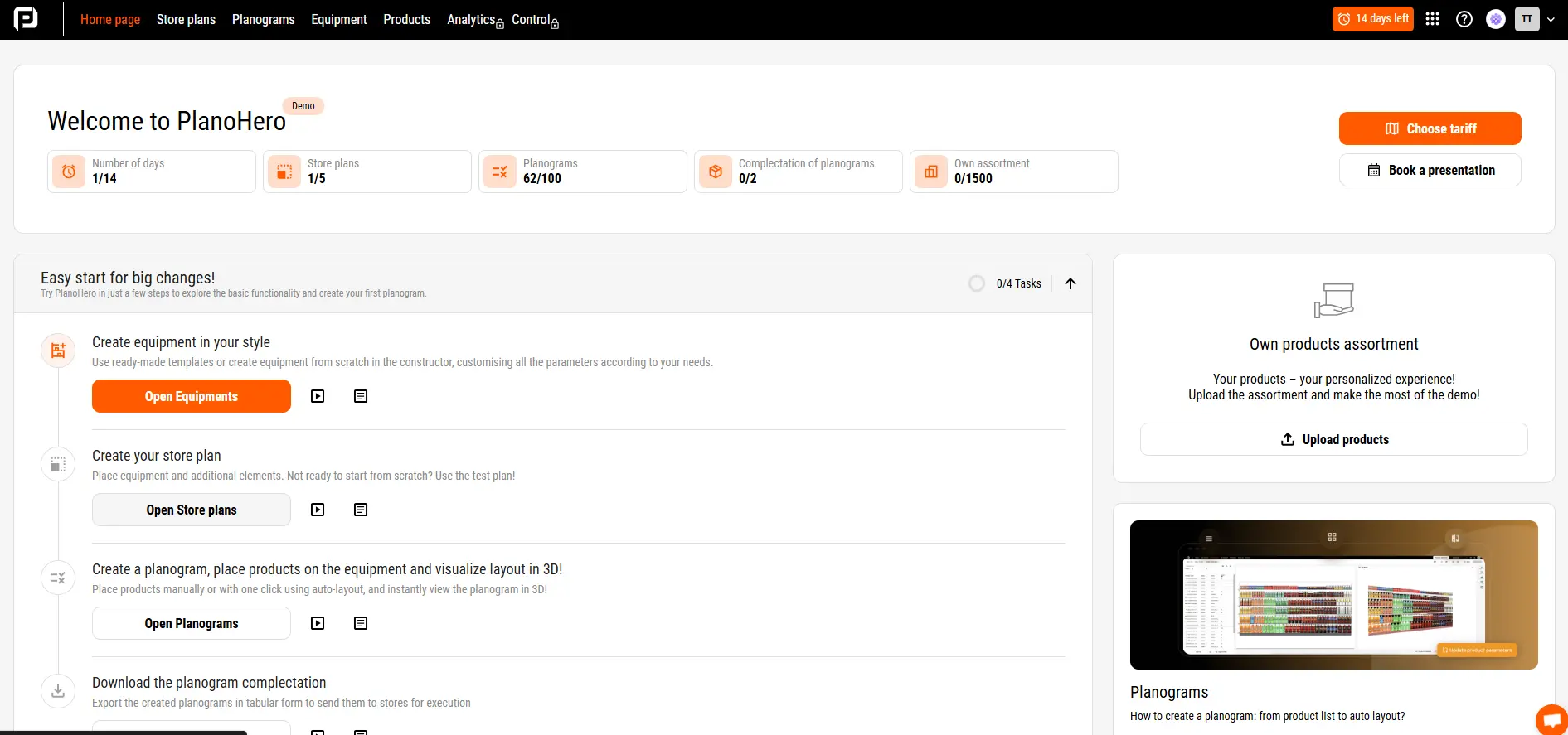
PlanoHero - one of the fastest-growing solutions in retail space planning, especially for multi-store chains looking to improve both planning and execution.
What it does:
- Drag-and-drop or AI-automated planogram & store-layout creation (shelves, gondolas, racks, fridges, etc.).
- Assortment optimization and SKU-placement logic based on sales data, promotions, space allocation.
- Centralized planogram distribution to stores + mobile app for store execution (with photo-reporting & compliance tracking).
- Analytics & reporting on shelf performance, layout compliance, SKU visibility, and space ROI.
Best for: Retailers and CPG teams needing comprehensive planogram management and merchandising execution across multiple stores (grocery, pharmacy, fashion, convenience, chains).
Free Trial: Available (demo version giving access to core planogram/layout tools).
Useful Feature: Tracking Out-of-Stock Gaps on Planograms
Quick identification of out-of-stock gaps is one of the key factors in maintaining strong on-shelf availability (OSA) and preventing lost sales. “Out-of-stock gaps” refer to items that appear on the planogram but are not available in inventory. These are products that should be on the shelf according to the planogram but are missing either from the shelf or from the store entirely.
PlanoHero provides tools that help monitor inventory levels, spot empty shelf spaces, and respond quickly to any discrepancies in real time.
What the feature does
- Helps manage assortment: add new SKUs or remove inactive items from planograms in just a few clicks.
- Identifies items with zero inventory and automatically sends alerts about out-of-stock gaps.
- Generates reports showing inventory levels, OOS issues, and mismatches between the planogram and the actual shelf condition.
- Flags items that may have only one day of stock remaining.
Report: “Out-of-Stock Gap Analysis”
This report lists all items that, according to the planogram, should be on display but are missing from the sales floor or the backroom. This allows retailers to:
- quickly identify empty spaces on the shelf;
- track at-risk SKUs that are close to selling out;
- replenish inventory on time;
- reduce sales losses caused by OOS;
- improve product turnover and shelf productivity.
Why out-of-stock gaps happen
Reasons may vary, including:
- inaccurate ordering;
- delays in the supply chain;
- human error — for example, the item is in the backroom but wasn’t brought to the shelf.
This is why daily monitoring of item status is essential to prevent situations where shelves remain empty.
Daily data updates and automatic alerts
PlanoHero reviews store data daily and automatically notifies the merchandising team when new out-of-stock gaps are identified. This enables quick reaction, better inventory control, and helps prevent lost sales.
For example, if a retailer sees that shelves in popular categories are consistently empty every Friday ahead of the weekend rush, the team can analyze sales trends and adjust replenishment in advance to meet increased demand.
What a merchandiser should do
- monitor out-of-stock gaps regularly;
- review sales trends and SKU velocity;
- place replenishment orders on time;
- ensure shelf execution aligns with the planogram.
These actions help prevent recurring OOS issues, maintain stable SKU availability, and increase overall sales performance.
Product Highlighting for Fast Planogram Issue Detection
PlanoHero also includes a product highlighting feature that allows teams to instantly assess shelf conditions and identify high-risk SKUs during planning or planogram reviews. In edit or view mode, simply select the “Highlight Products” tool to highlight items based on key criteria:
- Zero inventory items.
- Items with only one day of stock left.
- Duplicate SKUs.
- Highlighting by brand, category, or supplier.
This feature helps teams quickly identify display issues, find critical OOS items, detect SKU duplication, or reveal brand imbalances — all without time-consuming manual checks.
Final Thoughts
Whether you're a supermarket, pharmacy, specialty retailer, or CPG partner, the shelf is still the most valuable real estate you own — and the hardest to control consistently.
The tools above aren’t just “nice to have.” They help retailers:
- reduce stockouts;
- improve planogram compliance;
- increase sales per linear meter;
- shorten execution cycles;
- strengthen collaboration between HQ and stores;
- bring real data into merchandising decisions.
If you’re evaluating technology to improve availability and execution, start with solutions that offer free trials. Test them in 2–3 stores and track measurable improvements—especially in OOS rate, SKU visibility, and compliance.
Looking for a service to create planograms?
Try a free demo version of PlanoHero