
Last updated: September 20, 2026
Out-of-stock (also called a stockout) means a product the customer wants isn't available. It hurts on-shelf availability, costs revenue, and worries every retailer, because each stockout is a missed sale. This guide covers what causes out-of-stock, what level is realistic, and how planograms, out-of-stock reports, and better supply planning help reduce it.
What Is Out-of-Stock (Stockout)?
Out-of-stock means the absence or shortage of a product: the item is unavailable to the customer who wants to buy it. In a store, this usually means an empty shelf or a missing SKU, such as the size or color the customer needs. The only upside is that it can signal a product that sold fast, but the problems start right after that.
A stockout has several consequences for a retailer:
- Lost sales. A customer who doesn't find the right product may leave without buying. Some will choose a substitute.
- Lost loyalty. If the situation repeats, customers switch to another store, and the retailer loses loyal customers. The losses are financial and reputational, and competitors can win those customers over.
- Extra costs. To cope with a shortage, retailers have to reorder goods or move them from another warehouse. Because of the urgency, they often pay more for procurement, delivery, and storage.
That's why it's essential to detect out-of-stock in a store in time and find the reason for the shortage.
Can Retailers Avoid Out-of-Stock Completely?
Not entirely. Every retailer accepts some level of out-of-stock, and in FMCG the acceptable level is usually put at no more than 5%. The reason is a balance of interests: manufacturers want maximum stock to guarantee constant availability, while stores want to save working capital and avoid tying it up in excess inventory. The practical goal is to keep out-of-stock under control and catch it fast, not to eliminate it.
What Causes Out-of-Stock in a Store?
Out-of-stock can come from problems in the supply chain, sudden changes in demand, errors in inventory calculations, lack of control, human factors, technical problems, damage, shortage of goods, or theft. The most common causes:
| Cause | How it leads to out-of-stock |
|---|---|
| Poor demand forecasting | Unexpected demand spikes, seasonality, or promotions the store wasn't ready for. Retailers that make forecasting errors can sell out their most popular items by misprediction. |
| Reporting issues | Untimely or inaccurate reports, or no customized analytics, lead to errors in orders and demand forecasts. Decisions are only as good as the data behind them. |
| Incorrect inventory data | Miscounts during manual inventory, products misplaced after unloading in the warehouse, or mismatches between systems, for example when a company has several distribution channels. |
| Late deliveries | Problems can occur anywhere in the supply chain: raw materials, production delays, or delivery. |
| Logistics issues | Natural disasters, epidemics, accidents, logistical errors, and other force majeure situations can block deliveries. |
| Weak in-store control | Goods stay in the warehouse because a responsible manager forgot to move them to the shelf, or shelves are replenished late. |
| Order, assortment, and product errors | Improperly formed orders, goods removed from the assortment matrix while still on planograms, defective or damaged products, and theft. |
Even the best-prepared companies can face unforeseen circumstances. That's why detecting a stockout early matters as much as preventing it.
How Planograms Help Control Out-of-Stock
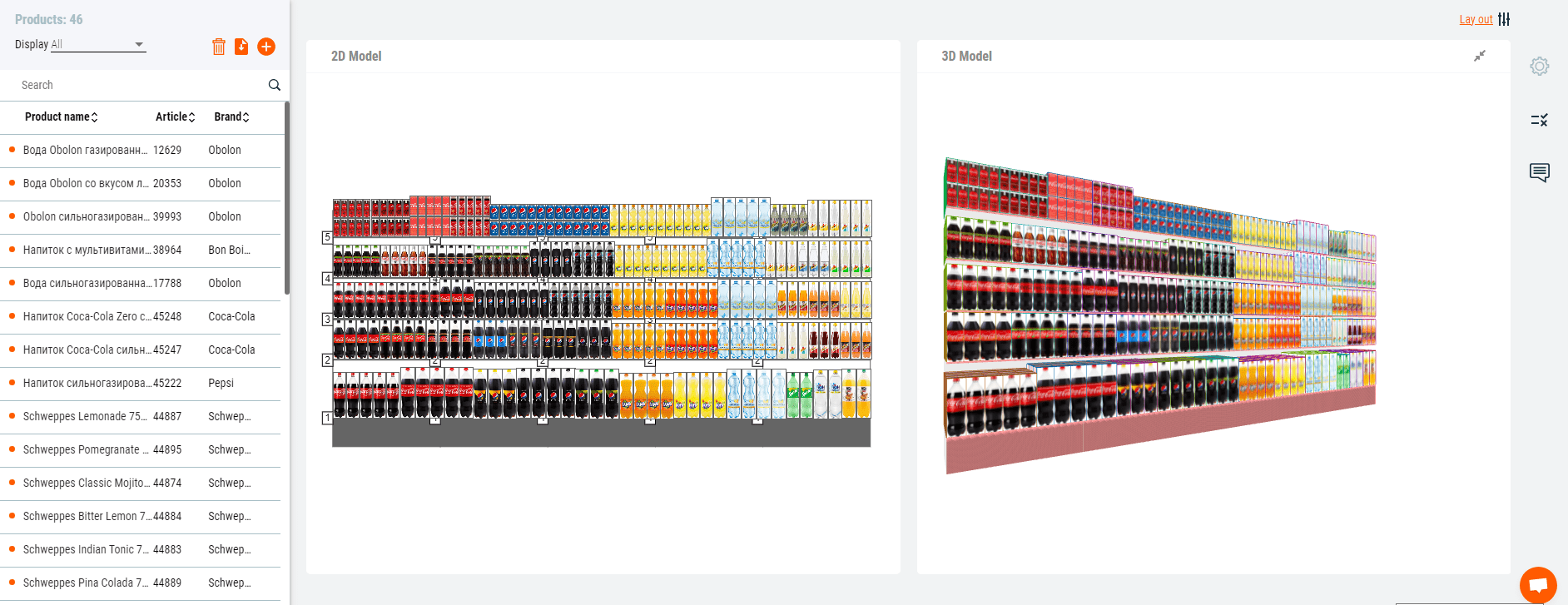
Retailers use planograms to create attractive layouts, but they are also a tool for controlling stock on the shelves. With PlanoHero, a service that automates planogramming in store chains, retailers can track how effective the layout is and see which products are missing.
Using one tool, a retailer can:
- build a store floor plan and fixtures;
- create planograms with different layout settings and product clustering;
- create layout rules and apply them across stores to build planograms automatically;
- set tasks for implementing planograms and send them to store managers;
- control implementation with photo reports;
- analyze layout, sales, and customer behavior.
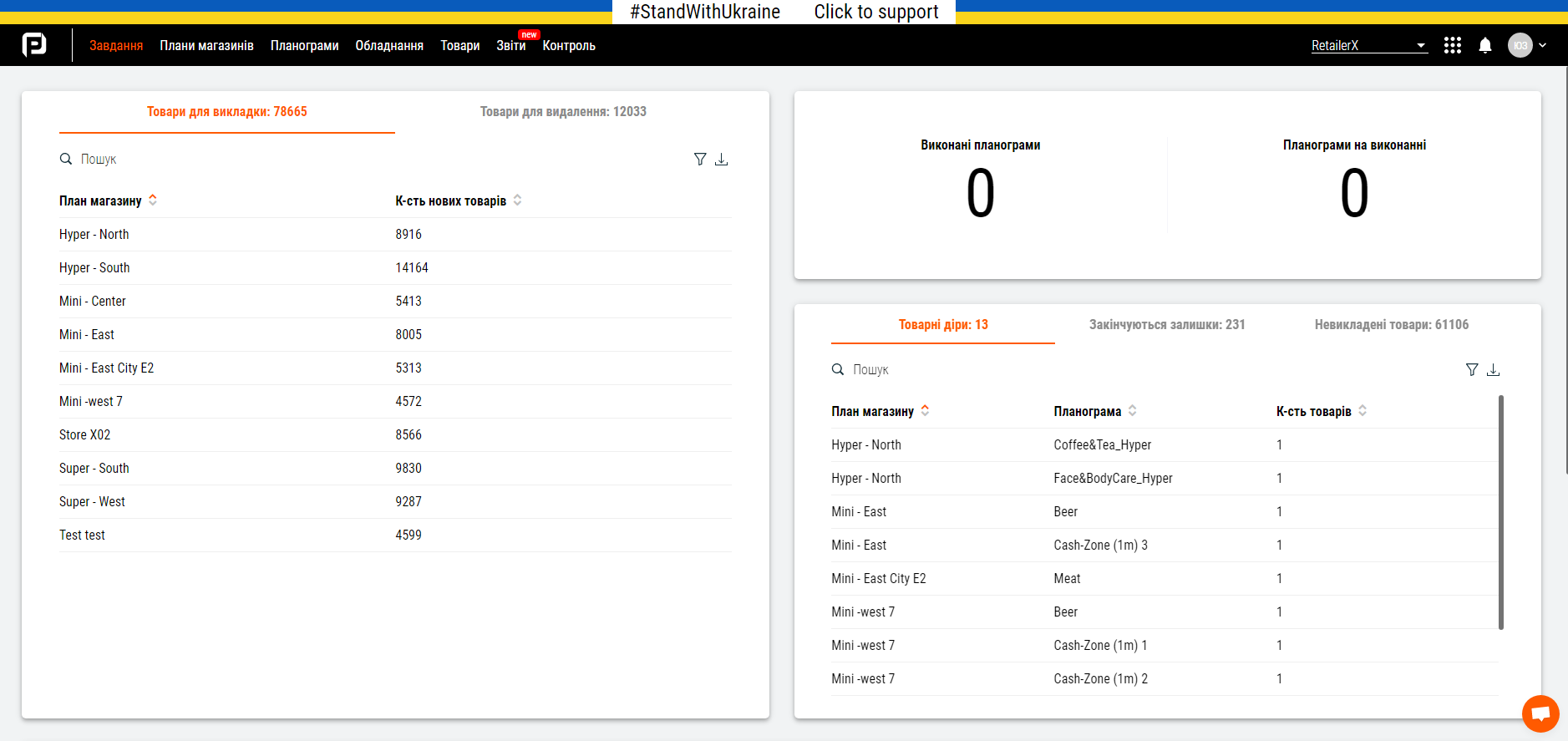
In PlanoHero, out-of-stock products that are displayed on planograms but not available in the store are called product holes. The service has a separate block for working with out-of-stock, with data updated every day, so the merchandising department sees shortages as they appear:
| Report | What it shows |
|---|---|
| Out-of-stock on planograms (product holes) | Products displayed on the planogram that have no balance in the store |
| Low stock | Products on planograms whose stock is enough for only one day |
| Remaining shelf stock | How much stock is left, in days of sales and in pieces, calculated from current sales |
| Lost sales | The number of days when a product was not sold or sales were minimal |
| Surplus and shortage analytics | The percentage of surpluses and shortages on the planogram for a period, plus stock, cost of balances, and average sales |
| Assortment changes | New active products not yet placed on planograms, and inactive products that should be removed |
Stock data can be filtered by individual stores and product categories.
How to Mitigate Out-of-Stock in a Store
To prevent out-of-stock, retailers need to optimize planning, ordering, and merchandising processes together. Where the shortage is beyond the retailer's control, the aim shifts to reducing costs and customer dissatisfaction. These steps help:
- Plan replenishment with sales data. By analyzing sales, a retailer sees in how many days a product will sell out at the current rate. PlanoHero calculates shelf stock and shows what remains in days and pieces.
- Make replenishment deliberate. A well-designed planogram means shelves aren't restocked by chance. The merchandiser creates a planogram, sends it to the store, and controls its execution.
- Give products the right shelf space. If demand for a product suddenly rises, the merchandiser can give it more facings and a better position on the shelf. Sales analysis also shows slow sellers that can be removed to make room for products that sell more.
- Keep a safety stock. Hold some extra stock when forecasting expected demand. A small buffer can be a lifesaver during a sudden surge. Many retailers set it by experience or intuition, but sales data and delivery lead times give a more reliable basis.
- Build relationships with suppliers. If one supplier runs out of a product, a backup supplier lets you reorder quickly. Calculate all supply options in advance, in case your regular suppliers have problems.
- Use ABC analysis. It helps track key network indicators (turnover, profit, number of receipts, sales, and stock) and shows which SKUs need the closest availability control.
- Offer alternatives when a shortage can't be avoided. Sometimes a customer is ready to buy a substitute product, which reduces lost sales and dissatisfaction.
Continuous inventory analysis and monitoring of sales performance reduce out-of-stock and increase sales.
FAQ
What causes out-of-stock in retail?
The main causes are poor demand forecasting, inaccurate reports and inventory data, late deliveries, logistics problems, and weak control in the store, such as goods not moved from the warehouse to the shelf. Damage, defects, and theft also contribute.
What is a product hole in a planogram?
A product hole is a product that is displayed on the planogram but is not available in the store. PlanoHero flags such products so merchandisers can fix the gap before it turns into lost sales.
What is the lost sales report?
The lost sales report shows the number of days when a product was not sold or sales were minimal. It helps retailers see where unavailability is costing revenue.
How does a planogram service help reduce out-of-stock?
A planogram service compares what should be on the shelf with the store's stock. It reports products that are missing or about to run out, tracks assortment changes, and lets merchandisers control planogram execution with photo reports.
Looking for a service to create planograms?
Try a free demo version of PlanoHero