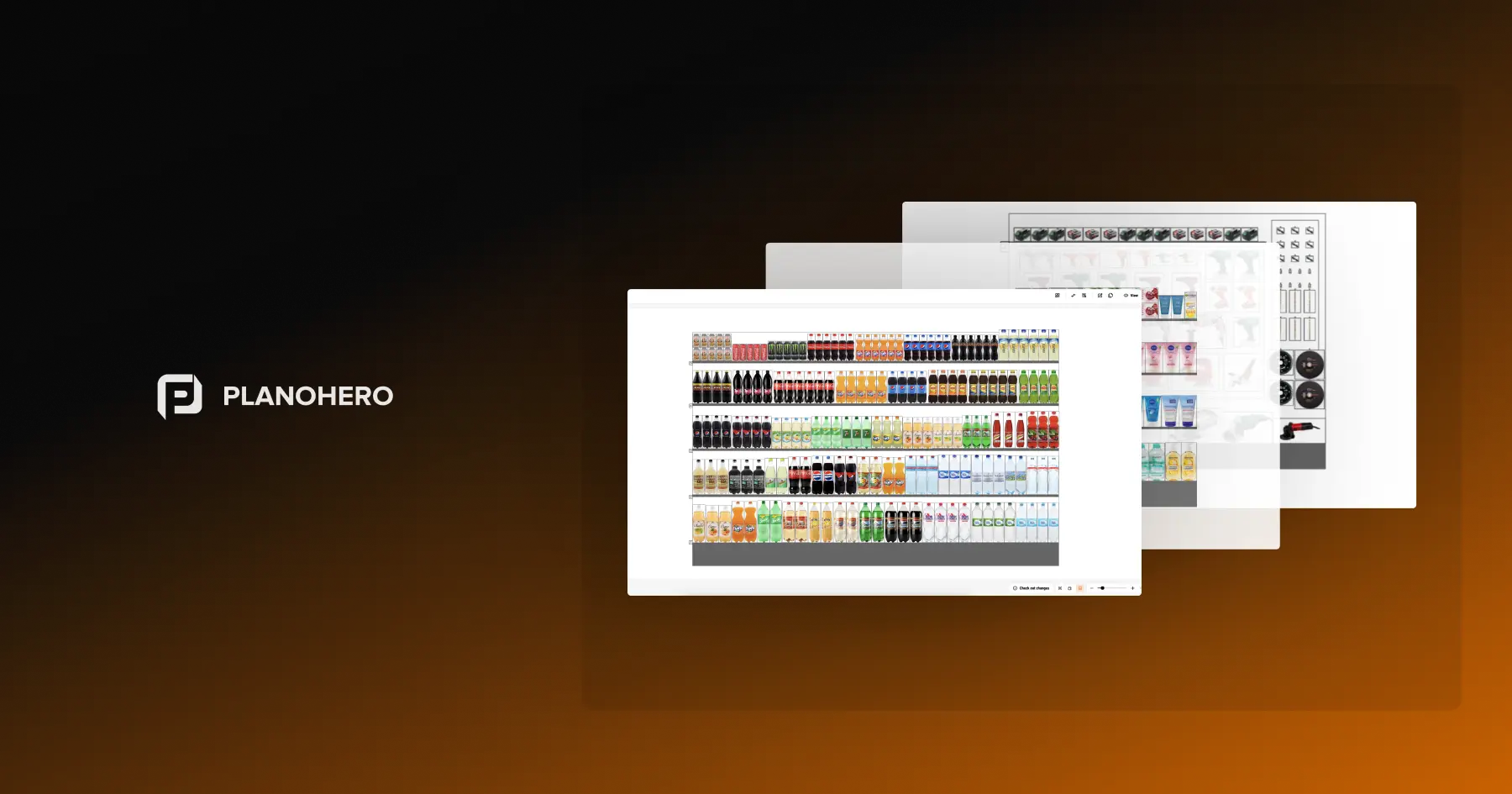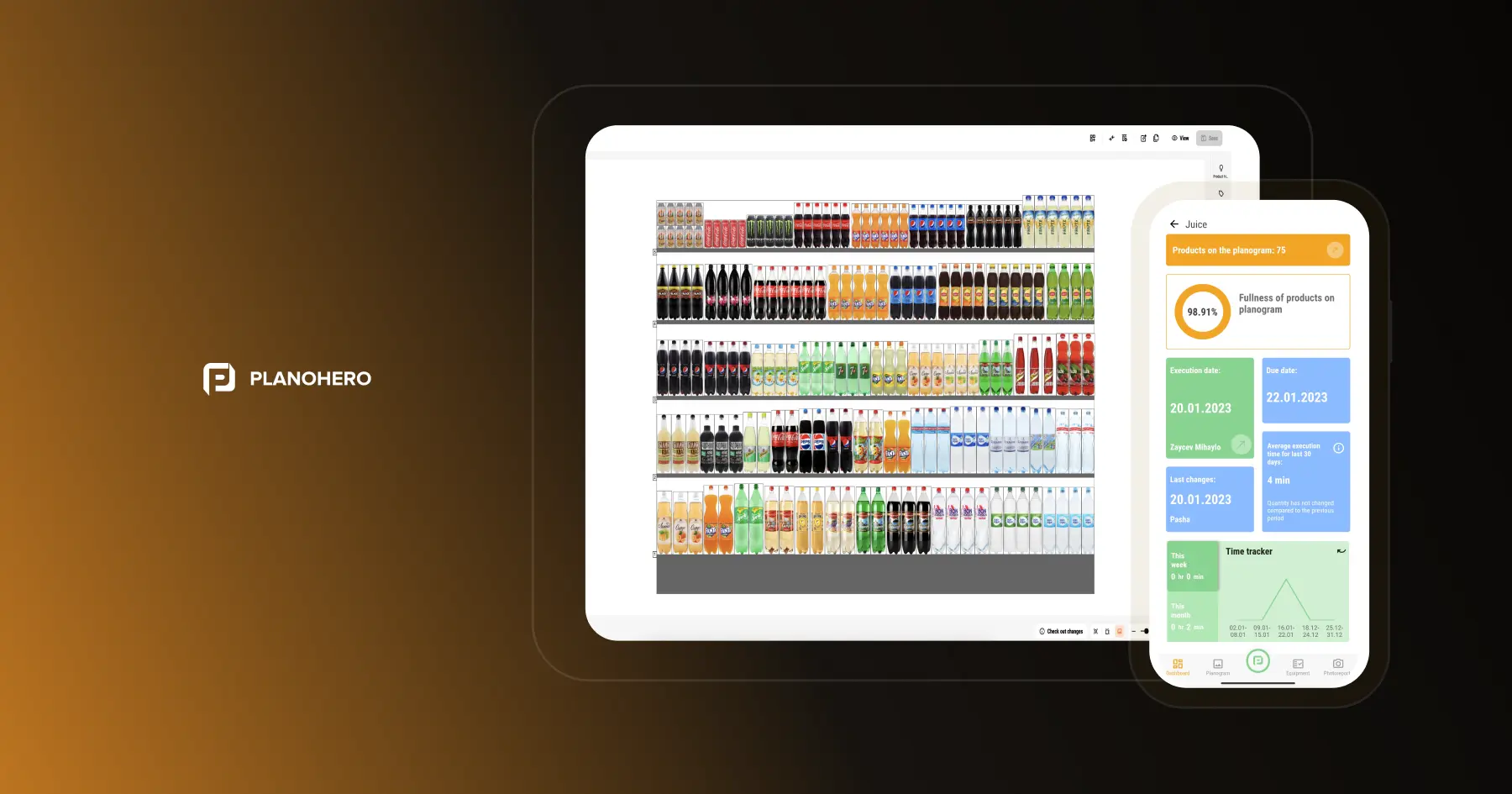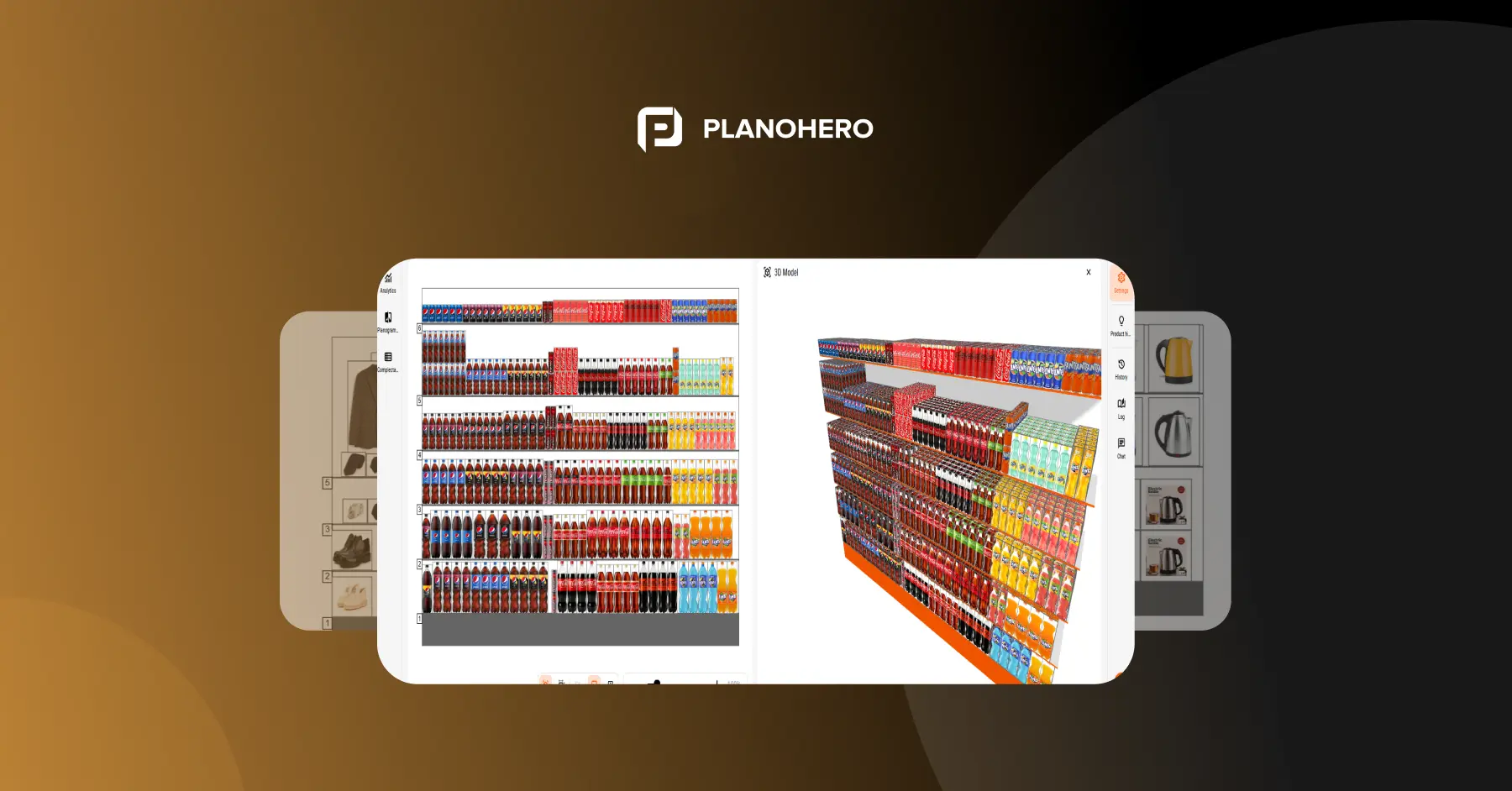


A planogram that looks right on a slide often falls apart on the sales floor — shelf depths don't match, a new SKU doesn't fit the layout, or three regional managers are quietly running three different versions of the same category. Retail space planning software exists to close that gap: it turns floor plans and shelf layouts into something you can generate from real sales data, roll out consistently across stores, and verify actually got executed.
This guide compares the leading retail space planning platforms — what each one costs, where they fall short, and how to pick the one that fits your store count and workflow.
Short answer: for large retailers with complex supply chains, look at Blue Yonder or RELEX Solutions. For mid-sized and large chains that want floor plans, planograms and photo-verified store execution in one cloud platform with public pricing, look at PlanoHero. For category teams on a small budget, DotActiv has a free tier. For CPG teams in the NielsenIQ data ecosystem, Spaceman is the familiar choice. For detailed, to-scale floor plans across a US store fleet, look at MerchLogix.
What Is Retail Space Planning Software?
Retail space planning software helps retail managers and business owners design and optimize store layouts. It allows users to:
- Maximize sales per square foot by strategically placing high-demand products.
- Improve customer flow with intuitive layouts that enhance the shopping experience.
- Standardize store layouts across multiple locations for a consistent brand experience.
- Visualize shelving and product placement with 2D and 3D modeling.
- Analyze performance metrics to optimize space usage over time.
The category is closely related to, and often used interchangeably with, planogram software. In practice, space planning covers two levels: macro space planning (the floor-level layout — where departments, zones, and fixtures sit within the store) and micro space planning (the shelf-level layout — where individual products sit within a fixture). Most modern platforms, including the ones below, handle both.
How We Evaluated These Platforms
We compared platforms on: planogram and floor-plan generation (manual drawing tools vs. automated generation from sales data), multi-location scalability (chain-wide templates vs. store-specific customization), execution and compliance tracking (whether the platform verifies that a planogram was actually implemented in-store, typically via photo reports), integration (POS, ERP, and inventory data), and pricing transparency. We cross-checked vendor claims against public documentation, G2's Retail Space Planning category, and independent comparison sources. PlanoHero publishes this guide; pricing and features were checked in October 2026.
Key Features to Look for in Retail Space Planning Software
When selecting space planning software for your retail business, look for advanced features that streamline merchandising, enhance collaboration, and optimize product placement. Here are essential capabilities to consider:
Store Equipment & Floor Plan Design
- Create and configure store fixtures and shelving from scratch or use pre-built templates.
- Design store layouts with drag-and-drop tools or import AutoCAD plans.
- Identify hot and cold zones to optimize traffic flow and product visibility.
Planogram Creation
- Create detailed planograms to visualize product placement.
- Drag-and-drop tools for planogram creation.
- Easily create planograms, placing products strategically based on sales, supplier agreements, and merchandising principles.
AI-Powered Planogram Automation
- Automate product placement using customizable layout rules.
- Apply layout rules across multiple stores to maintain consistency in product displays.
- Generate AI-driven layouts to enhance shelf efficiency and customer engagement.
Seamless Planogram Execution & Compliance
- Send planograms directly to store teams with structured execution instructions.
- Provide real-time guidance via a mobile app for accurate product placement.
- Track execution progress and verify compliance through photo reports.
Data-Driven Assortment & Performance Analysis
- Monitor planogram effectiveness by analyzing sales impact and shelf compliance.
- Identify out-of-stock risks and optimize inventory management.
- Use automated reports to track merchandising success and make informed decisions.
Cloud-Based Collaboration & Accessibility
- Work in a cloud environment to access store layouts, planograms, and reports from any device.
- Grant access to unlimited users, ensuring seamless teamwork across locations.
- Easily import, export, and share layouts, planograms, and analytics for enhanced decision-making.
3D Visualization & Store-Specific Layouts
- View fixtures, departments and planograms in 3D before stores reset them.
- Adapt one layout standard to each store's size, fixtures and local assortment.
- Group stores into clusters so similar formats share the same planograms.
By choosing a feature-rich space planning solution, retail businesses can automate merchandising processes, optimize store layouts, and drive higher sales efficiency while ensuring seamless execution across all locations.
Quick Comparison: Retail Space Planning Software
|
Tool |
Best For |
Pricing |
Free Trial |
|---|---|---|---|
|
PlanoHero |
Mid-sized and large retail chains that want floor plans, planograms and photo-verified store execution in one cloud platform |
Lite from $199/month flat (unlimited users, up to 5,000 SKUs); Enterprise custom |
Yes (14 days) |
|
Blue Yonder |
Large enterprise retailers already using Blue Yonder's supply chain suite |
Custom pricing |
Demo only |
|
DotActiv |
Category management teams that also want built-in retail analytics |
Lite |
Yes |
|
RELEX Solutions |
Large retailers running thousands of stores that need locally optimized planograms |
Custom enterprise; independent estimates from $50,000/year |
Demo only |
|
Quant Retail |
Mid-to-large chains with varied store formats needing macro + micro planning in one tool |
From ~€1,200/user/year (Basic) |
Yes |
|
One Door |
Visual merchandising teams where execution compliance, not planogram generation, is the main gap |
Custom pricing |
Demo only |
|
StoreSpace |
Grocery, pharmacy and fashion chains planning macro and micro space in AutoCAD |
Custom pricing |
Demo |
|
Spaceman |
CPG category teams working in the NielsenIQ data ecosystem |
Custom pricing |
Demo only |
|
MerchLogix |
US retailers that need detailed, to-scale floor plans across a store fleet |
Based on store count; from a few thousand dollars per month; users free |
Demo only |
|
Scorpion Planogram |
Growing chains that want 2D/3D planogram design with rule-based automation |
Custom pricing |
Demo |
Note: most vendors in this category don't publish full enterprise pricing — treat the figures above as a starting point for budgeting conversations, not a final quote.
Best Retail Space Planning Software
The order below isn't a best-to-worst ranking — each platform fits a different scale and workflow, so we've listed them by the use case they suit rather than rated against a single "best overall" standard.
1. PlanoHero
Best for: Mid-sized and large retail chains that want store floor plans, planogram creation, store execution and analytics in one platform instead of separate tools.
PlanoHero is AI-powered space planning and planogram software developed by Datawiz and used since 2017 by 100+ retail chains in 35+ countries. It covers both levels of space planning, from the store floor plan down to each shelf, and connects them to execution in stores through a mobile app with AI photo recognition.
Key Features:
- Floor planning: build store plans from scratch or import .dxf and DWG files, map zones and departments, and find hot and cold zones with a sales heatmap.
- Fixtures in 2D and 3D: model shelves, gondolas, coolers and display stands to exact dimensions and reuse them across stores.
- Planogram automation: generate planograms from sales, margin and stock data with AI layout rules, and apply them to selected stores or the whole chain.
- Execution and compliance: send store-specific planograms to the PlanoHero Layout app with an AR placement guide; AI Photo Report Recognition checks each shelf photo against the plan.
- Analytics: sales per zone, fixture, shelf and SKU, plus compliance by store and region.
- Integrations: ERP and POS data through PlanoHero Connector (SAP, Microsoft Dynamics 365, Oracle, NetSuite); the PlanoHero Size app for product dimensions.
Pros:
- Floor plans, planograms, execution and analytics in one cloud platform, so data does not move between separate tools.
- Public pricing: Lite at $199/month with unlimited users, which is rare in this category.
- Official NielsenIQ partner: PlanoHero is part of Business Effectiveness Solutions, Powered by Datawiz, offered by NielsenIQ.
Cons:
- Enterprise pricing requires a conversation with sales.
- Smaller public review base on G2 than Blue Yonder or RELEX.
- Does not include demand forecasting or replenishment; it connects to your ERP for that data.
Pricing: Lite from $199/month flat, unlimited users, up to 5,000 SKUs and 100 planograms. Enterprise pricing is custom, based on network size. 14-day free trial, no credit card required.
2. Blue Yonder (JDA)
Best for: Large enterprise retailers already using Blue Yonder's broader supply chain and demand forecasting suite.
Key Features:
- AI-powered space optimization.
- Real-time planogram updates.
- Integration with sales and inventory data.
- Multi-location store management.
Pros:
- One of the most established names in enterprise retail space planning, with deep integration into Blue Yonder's supply chain ecosystem.
- Handles multi-format store networks with large, diverse fixture libraries.
Cons:
- Only really practical value if your organization is already in, or planning to adopt, the Blue Yonder ecosystem.
- Training and implementation costs are significant, and it's generally not accessible to mid-market retailers.
Pricing: Custom enterprise pricing; no public tiers. Demo only, no self-serve trial.
3. DotActiv
Best for: Retailers and category management teams that want planogram creation and category analytics in the same tool, with an accessible entry tier.
Key Features:
- Advanced planogramming tools.
- AI-assisted product placement recommendations.
- Store layout compliance tracking.
- Built-in category management and retail analytics dashboards.
Pros:
- Free tier available for up to 40 SKUs, useful for evaluating the tool before committing budget.
- Transparent published starting price for the Lite plan — unusual in this category.
- Combines planogram tools with category management analytics rather than treating them as separate purchases.
Cons:
- Advanced features like store cluster management require the Enterprise tier.
- Mobile execution and compliance tracking are less developed than platforms built specifically around that workflow.
Pricing: Free tier for up to 40 SKUs. Lite is around $800/year (roughly $70–80/month if billed monthly); Enterprise pricing on request.
4. RELEX Solutions
Best for: Large retailers running thousands of stores that need automated, locally optimized planograms rather than one chain-wide template.
Key Features:
- AI-driven space planning and forecasting.
- Locally optimized planograms based on store-level demand, not chain-wide averages.
- Omnichannel retail integration.
- Automated stock replenishment recommendations tied to shelf layout.
Pros:
- Generates planograms that reflect actual local demand per store, which matters more at scale than most vendors acknowledge.
- Space planning sits alongside forecasting, replenishment, and assortment in one unified platform.
- Strong track record with large grocery and specialty retail chains.
Cons:
- Space planning isn't sold as a standalone module — it's part of the broader RELEX Unified Merchandising platform, which brings a larger price tag with it.
- Implementation is a multi-month project that requires meaningful data maturity upfront.
Pricing: Custom enterprise pricing, not published. Independent estimates place typical annual contracts anywhere from roughly $50,000 to several hundred thousand dollars, depending on retailer size and modules — request a quote rather than budgeting off any fixed number.
5. Quant Retail
Best for: Mid-to-large retail chains with varied store formats that want macro (floor) and micro (shelf) planning handled in a single application, without per-seat licensing limits.
Key Features:
- Auto-generated planograms optimized from sales data, store space, and templates.
- Integrated floor planning with multi-layer store layouts and DWG import.
- Unlimited users under a single pricing plan.
- Daily synchronization with company master data.
Pros:
- Unlimited-user licensing removes the per-seat cost ceiling that limits adoption on competing platforms.
- Handles both floor-level and shelf-level planning in one tool rather than requiring two products.
- Long track record (in development since 2003) with diverse, non-standardized store formats.
Cons:
- Enterprise pricing requires direct contact.
- AI-driven automation is less mature than RELEX at large chain scale.
Pricing: From approximately €1,200/user/year (Basic plan). Free trial available.
6. One Door
Best for: Retail brands and chains where the execution gap — not the planning gap — is the core problem, and visual merchandising compliance across the full store, not just the shelf, matters.
Key Features:
- Digital Store Model creates store-specific visual merchandising plans covering fixtures, displays, and marketing elements beyond just planograms.
- Image IQ uses AI image recognition to verify execution accuracy from shelf photos.
- Cloud-based plan distribution to store associates with guided execution instructions.
Pros:
- Stronger focus on visual merchandising execution broadly (displays, signage, POS materials) than platforms focused narrowly on shelf-level planograms.
- Image IQ compliance verification is comparable in depth to other enterprise-grade AI compliance tools.
Cons:
- Less depth on automated planogram generation itself compared to RELEX or Quant Retail.
- Pricing is available on request only, with no published tiers.
Pricing: Custom, quote-based. Demo available.
7. StoreSpace
Best for: Grocery, pharmacy and fashion chains whose space planners work in AutoCAD and want macro and micro planning in one environment.
StoreSpace by StoreSpace Insights is retail space planning software built by macro space planning specialists. It works directly inside AutoCAD files, links category space to planograms and sales data, and shares floor plans with store teams through the StoreSpaceOnline portal.
Pros: integrated floor-level and category-level planning; AutoCAD-based tools that CAD-trained store planners already know; customers in grocery and pharmacy such as Henderson Group and Well Pharmacy.
Cons: built around AutoCAD workflows, which suit dedicated store planners more than merchandising teams; photo-based execution checks are not a core feature.
Pricing: Custom, quote-based. Demo available.
8. Spaceman
Best for: CPG category management teams that build planograms with NielsenIQ market data.
Spaceman is a long-standing planogramming tool used in CPG category management.
Pros: familiar to many category managers; fast drag-and-drop planogram building; strong fit with NielsenIQ data.
Cons: less suited to retailers planning their own store estate end to end; no native photo-based execution check in stores.
Pricing: Custom, quote-based. Demo only.
9. MerchLogix
Best for: US retailers that need detailed, to-scale floor plans for every store in the fleet.
MerchLogix Floorplan is browser-based floor planning software that maps each store to the inch, including structural obstacles, and lets teams layer photos and fixture data on the plan. It works alongside MerchLogix Planogram and project tools.
Pros: precise store-specific floor plans; users are free, so store teams and vendors can see the plans; pricing based on store count rather than seats.
Cons: planogram automation and AI photo compliance are less central than floor planning; quote-based pricing starting at a few thousand dollars per month.
Pricing: Based on locations and changes; from a few thousand dollars per month. Demo only.
10. Scorpion Planogram
Best for: Growing chains that have outgrown manual drawing tools and want 2D/3D design with rule-based automation.
Scorpion Planogram is a dedicated shelf planning suite with a 2D/3D planogram editor, floor planning tools and an automation module for rule-based layout generation.
Pros: covers both manual design and rule-based automation; 3D views help present layouts internally; modular setup lets teams start small.
Cons: automation is rule-based rather than driven by sales forecasts; photo-based execution checks are not a core feature.
Pricing: Custom, quote-based. Demo available.
Best Retail Space Planning Software by Retailer Size and Segment
|
If you are… |
Start with |
Why |
|---|---|---|
|
A large retailer with hundreds or thousands of stores and complex supply chains |
Blue Yonder, RELEX Solutions |
Space planning connected to forecasting, replenishment and enterprise IT |
|
A mid-sized or large chain that wants space planning and store execution in one tool |
PlanoHero |
Floor plans, planograms, mobile execution and AI photo checks in one cloud platform, with public pricing |
|
A grocery or FMCG retailer optimizing shelf space from sales data |
PlanoHero, RELEX Solutions |
Planograms built from sales and stock data, adapted to each store |
|
A pharmacy or drugstore chain |
PlanoHero, StoreSpace, DotActiv |
Compact formats and strict category standards, planned per store |
|
A DIY, electronics or big-box retailer |
PlanoHero, MerchLogix |
Large floor areas, many departments and heavy fixtures modeled to scale |
|
A team whose store planners work in AutoCAD |
StoreSpace, PlanoHero |
AutoCAD-based layouts, or .dxf and DWG import into a cloud platform |
|
A CPG brand or supplier preparing planograms for retail partners |
Spaceman, DotActiv, PlanoHero Lite |
Category data, export formats and accurate fixture dimensions |
|
A team that needs 3D store and shelf views |
PlanoHero, DotActiv, Scorpion Planogram |
2D and 3D visualization of fixtures and planograms |
|
A small team on a tight budget |
DotActiv free tier, PlanoHero Lite |
Free tier for up to 40 SKUs, or $199/month with unlimited users |
How to Choose the Right Space Planning Approach
Selecting the right space planning strategy depends on the size and needs of your retail business. Here are key considerations:
- For Single-Store Retail Managers: Focus on manual planogramming techniques or basic layout design tools to optimize shelf space efficiently.
- For Chain Business Owners: Establish standardized layout guidelines to ensure consistency across multiple locations and streamline merchandising efforts — while still allowing store-level adjustments where formats vary significantly.
- For Data-Driven Merchandising: Leverage sales and inventory data analysis to make informed space planning decisions and improve product placement, and prioritize platforms that generate layouts from data rather than only formatting manual ones.
Questions to Ask Vendors Before You Choose
Once you know which of the above fits your business, use these questions to pressure-test any vendor's demo pitch:
- Does the platform generate planograms from sales data, or is it a drawing tool that formats what someone builds manually?
- Can it adapt a planogram to store-specific dimensions and local demand, or only apply one chain-wide template?
- How is execution compliance verified — photo-based, self-reported, or not tracked at all?
- Which POS and ERP systems does it integrate with, and can the vendor show a live example at a similar scale to your business?
- What's the realistic implementation timeline for a chain your size, and what does pricing look like as you add stores or users?
FAQ
What's the difference between space planning software and planogram software?
The terms are often used interchangeably, and most modern platforms cover both. Strictly, planogram software focuses on shelf-level product placement within a fixture. Space planning software covers that plus macro, floor-level planning — store zones, department layout, and fixture placement.
How much does retail space planning software cost?
It varies widely. Some platforms publish entry pricing — DotActiv's Lite plan runs around $800/year (about $70–80/month billed monthly), with a free tier for small SKU counts. RELEX Solutions doesn't publish rates; independent estimates put typical contracts anywhere from $50,000 to several hundred thousand dollars a year depending on retailer size. Enterprise platforms like Blue Yonder also price custom by chain size and module, and require a sales conversation to get a number.
Is there free retail space planning software available?
DotActiv offers a free tier limited to 40 SKUs on a single planogram, and several vendors (PlanoHero, Quant Retail) offer free trials rather than a permanently free tier. Free tools tend to work for single-location or very small operations; multi-store chains generally outgrow them once automation and compliance tracking become necessary.
Do I need separate software for floor planning and planograms?
Not necessarily. Some platforms specialize in one layer — pure planogram editors, for instance — but most of the tools in this list, including PlanoHero and Quant Retail, handle both macro (floor) and micro (shelf) planning in a single system, which avoids syncing data between two separate tools.
How does AI actually help in retail space planning, versus just being a marketing label?
Look for AI that sits in the generation engine, not just the reporting dashboard. Genuine AI-driven platforms build layouts from live sales, turnover, and ABC data and adapt them per store; many "AI-powered" tools still rely on rule-based sorting logic and use the label loosely. Ask vendors specifically where in their workflow the AI operates.
Does this software integrate with our POS or ERP system?
Most enterprise-grade platforms (Blue Yonder, RELEX) integrate with common ERP systems like SAP and Oracle to pull live sales, inventory, and master data — this is what enables automated generation and keeps planograms in sync with actual stock. Confirm which specific version of your ERP or POS a vendor supports before committing, since coverage can vary.
How is planogram compliance actually tracked once a layout is rolled out to stores?
The most reliable method is photo-based verification: store associates photograph the shelf through a mobile app, and the system (often using AI image recognition) checks it against the approved planogram. Less mature tools rely on self-reported confirmation from store staff, which is easy to skip and harder to audit.
What is the best retail space planning software?
It depends on scale. Blue Yonder and RELEX Solutions suit large enterprises with complex supply chains. PlanoHero suits mid-sized and large chains that want floor plans, planograms and store execution in one cloud platform, starting at $199/month. DotActiv offers a free tier for small teams, and Spaceman remains common among CPG category teams.
What is the best retail space planning software for large retailers?
Large retailers should look for store clusters and localized planograms, analytics on sales per square foot, ERP and POS integration, and centralized publishing with compliance reporting. Blue Yonder and RELEX lead on supply chain integration; PlanoHero combines space planning with photo-verified store execution in one platform.
What is the best retail floor planning software for retail chains?
For chains that want floor plans connected to planograms and store execution, PlanoHero lets teams import .dxf or DWG files, map zones and fixtures, and see sales by zone in one cloud platform. MerchLogix suits US retailers that need to-scale plans for every store, and StoreSpace fits planners who work directly in AutoCAD. Enterprise retailers with complex supply chains often use RELEX or Blue Yonder.
What is the best 3D store planning software for retailers?
For 3D views of fixtures and shelves inside a retail planning workflow, consider PlanoHero, DotActiv or Scorpion Planogram. PlanoHero also adds an AR placement guide in its mobile app, so store teams see the layout on their phones during resets.
What are the best shelf space optimization tools for FMCG and grocery retailers?
FMCG and grocery retailers need planograms built from sales and stock data, frequent resets and store-level adaptation. RELEX Solutions fits large grocers that want space tied to replenishment; PlanoHero fits chains that want sales-based planograms plus photo-verified execution; DotActiv suits category teams on a budget.
Looking for a service to create planograms?
Try a free demo version of PlanoHero